 Translate
- April 14, 2026 at 19:02 #46759
 KOMPAN ASParticipantPosts: 2Threads: 3Joined: Apr 2019
Hi Alex,
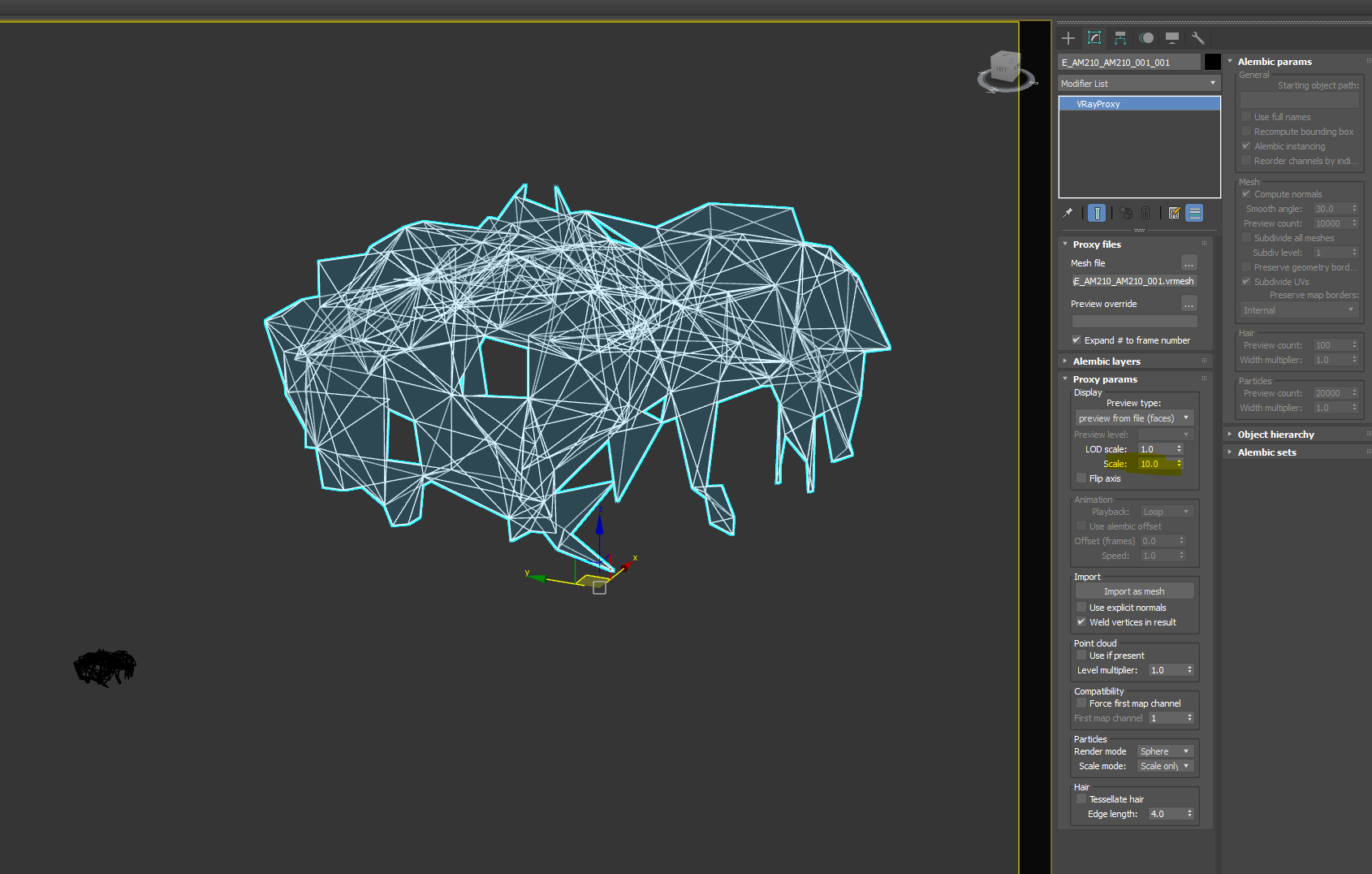
We have a problem in 3ds max 2026When we drag and drop vray proxy file – the viewport preview is wrong. When we use default merge – the proxy settings are 1:1 with drag and drop but the viewport is correct, while when drag and drop the file, the viewport is wrong and if we touch the scale factor the viewport preview then gets back to normal.
We did not have that issue with 3ds max 2022, so it is somehow 3ds max 2026 specific bug.This is when the proxy file is in a different scale factor then the working file.
Can you please look into that and fix it.
Cheers,
Plugin version: 3.41.18
3ds Max version: 2026
Renderer: Vray 7.20.02 - April 15, 2026 at 21:04 #46770Oleksandr KramerModeratorPosts: 269Threads: 1411Joined: Aug 2009
Hi,
Thank you for the detailed report. After investigating, we found the root cause is slightly different from what it appears.
When converting an object to a VRay proxy, VRay inherits the scale from other proxies already present in the scene.
So if a previously created proxy has a non-standard scale factor, any new proxy will pick that up —
which explains the incorrect viewport preview on drag and drop.You can reproduce this manually:
1. Convert an object to a proxy
2. Change the scale of that proxy
3. Convert another object to a proxy — it will inherit the scale from the first one
Solutions:
variant 1:
Select one existing proxy in the scene and set its scale to 1.
If it’s already set to 1, change it to any other value first, then set it back to 1. This resets the reference scale and should resolve the viewport issue.variant 2:
We’ve also prepared a script based on the Project Manager API that fixes this automatically. It triggers on proxy import or creation via PM and corrects the scaling without any manual steps. Simply add it to your 3ds Max startup scripts and it will handle everything in the background.
You can download it here: fix proxy scale.msLet us know if this helps.
Kind regards
- April 15, 2026 at 21:13 #46771KOMPAN ASParticipantPosts: 2Threads: 3Joined: Apr 2019
Hi Oleksandr,
Thank you for investigating that. It will be a bit tricky to have that script installed and ideally, I would like to avoid it as it adds another complexity in our setup.One thing I have noticed is that if I use regular merge from Max – there is not such an issue. So, the preview is correct.
Could you please try in the merge process to add extra action step – that change the scale factor one notch down and then revert it back. This is how we fix that for each proxy. It is something from your merge process that in a way is not “refreshing” the preview, as in the 3ds max one – there is no problem at all.Could you please try to fix it in the merge step, so we avoid adding extra scripts.
Cheers,
Dobromir


You must be logged in to reply to this topic.

