Translate

Question
Can AI classify .max files that have no preview image, or do I have to open each file and generate thumbnails first?
Answer
Yes. If a .max file has no preview image, the AI Classifier in Project Manager can still classify it using the thumbnail embedded in the file, without opening it.
When you save a scene, 3ds Max stores a small thumbnail inside most .max files, and Project Manager reads it directly, so those files are classified straight away.
Since that embedded thumbnail is small, a proper preview gives better results.
To use your own images, give a JPG or PNG the same name as the model and Project Manager picks it up automatically. Auto-Assign Previews also matches images with similar names.
Project Manager also supports batch thumbnail rendering: select files or whole folders, including subfolders, and it renders previews for all of them in one go.
Each file is rendered automatically using the specified studio file, so you don’t have to open and render it manually.
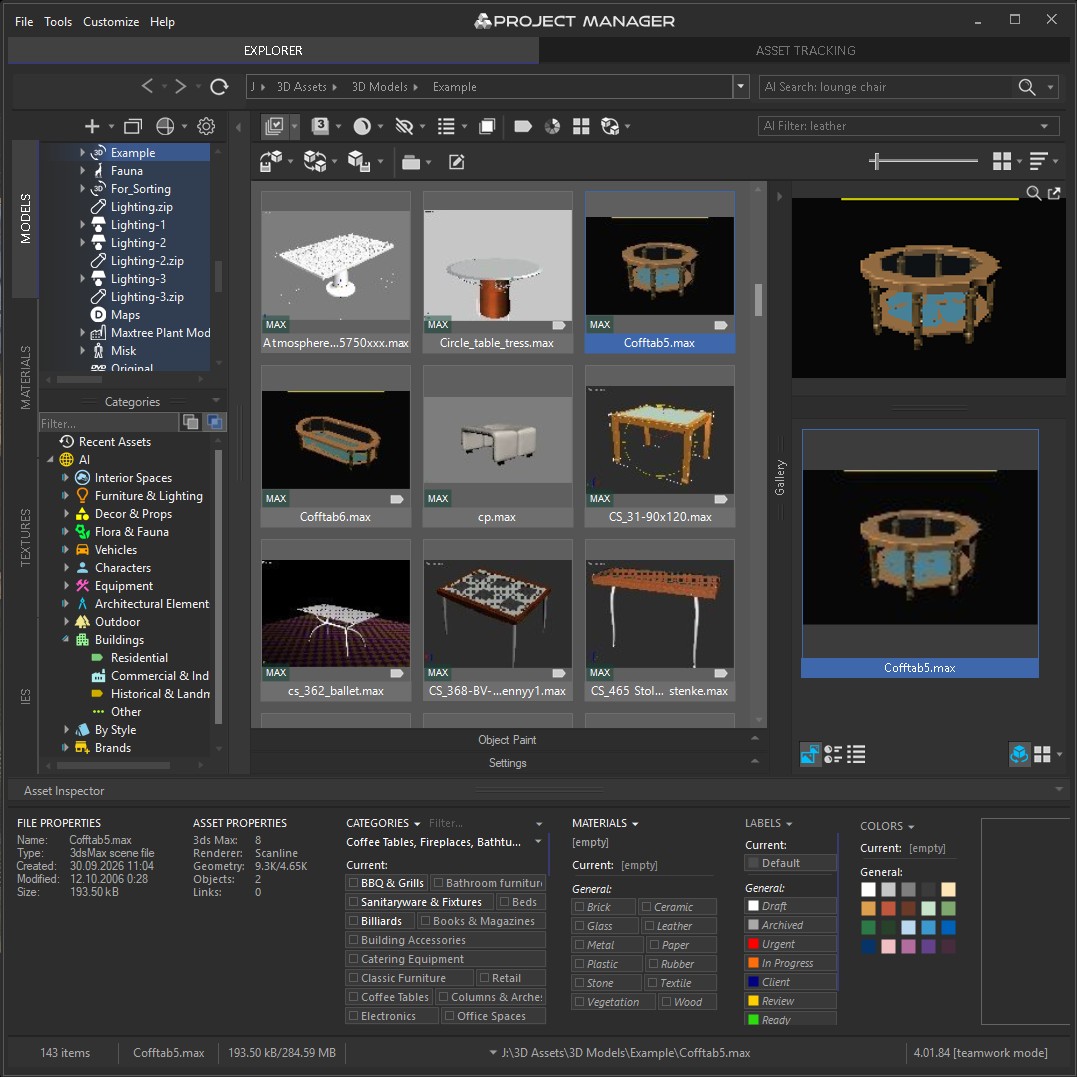
Project Manager can use embedded .max thumbnails for
AI classification without opening the files
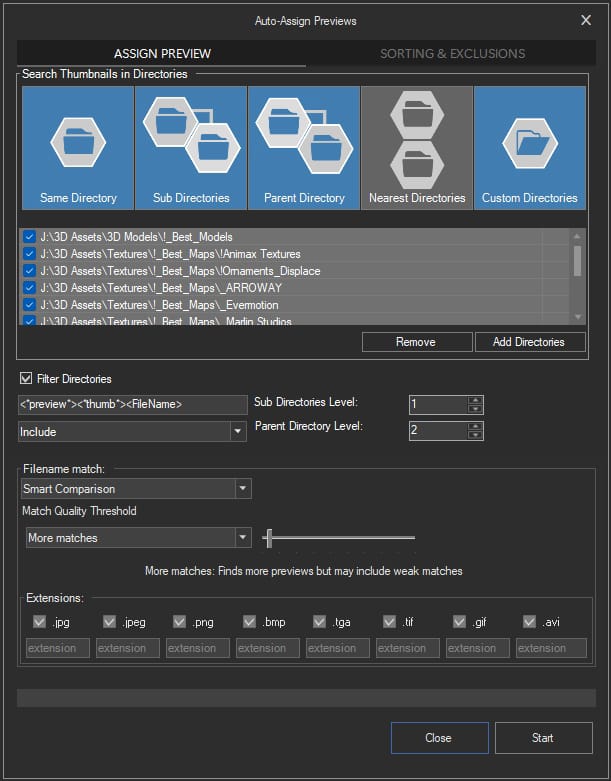
Auto-Assign Preview tool for 3D Models and Materials
$60.00Add to Cart