Learn how to prepare 3ds Max scenes for RebusFarm: find missing textures, repair broken asset links, process xRefs in batch and avoid failed render submissions.
Category: Kstudio Blog
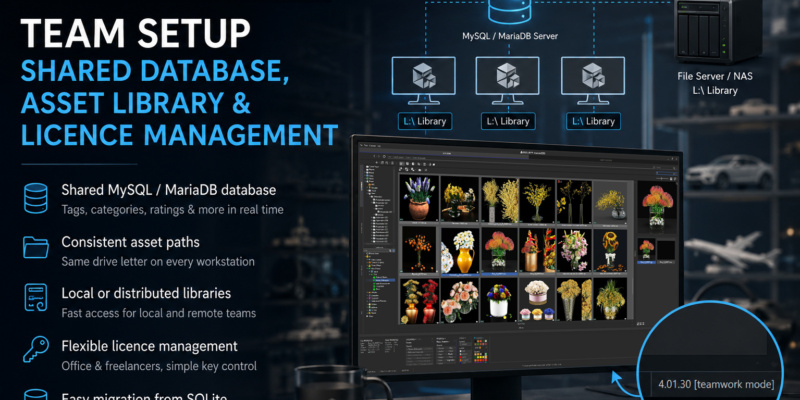
Learn how to set up Project Manager for efficient team workflows with a shared MySQL or MariaDB database, consistent asset paths across all workstations, local or distributed asset libraries, flexible licence management, and straightforward migration from an existing SQLite catalogue.
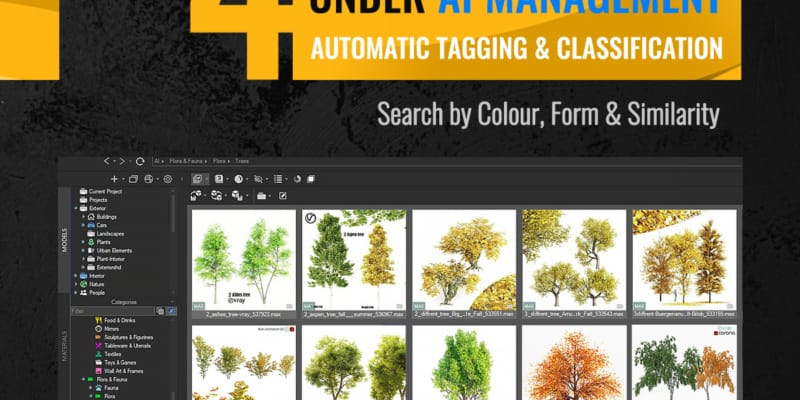
A local AI engine analyses thousands of your models and textures and sorts them onto virtual shelves automatically — no manual tagging, no cloud, no subscription.
From there, colour search and perceptual colour matching let you find assets the way your eye sees them, smart OR/AND filters narrow huge libraries down in a click, and team colour labels keep everyone in sync on what’s approved, in review, or done.
Every artist keeps their own tags, catalogues and ratings, and nobody else ever sees them.
This guide fixes that: install MariaDB or MySQL step by step, create the account Project Manager needs, open the firewall, connect each workstation, and migrate an existing SQLite catalogue without rescanning the library.
Picture this: You’re racing against a deadline, and you know you’ve got the perfect material somewhere in your library of 10,000+ assets. But where? Three folders deep? Renamed last month? On the old hard drive?
For 3D professionals working with massive asset libraries, organisation isn’t just about tidiness—it’s about survival. When project timelines are measured in days rather than weeks, every minute spent hunting for files is a minute stolen from actual design work.
That’s precisely why we built Project Manager.
We’re excited to announce that every Kstudio plugin and script has been fully updated to support the brand-new 3ds Max 2026. Whether you’re managing massive asset libraries, automating batch workflows, or fine-tuning complex models, our tools are now more powerful and responsive than ever—so you can stay focused on what matters most: your creativity.
Translate