Translate


This autumn, 3DModels.org is running its 12th annual Car Render Challenge, the largest awards event for automotive 3D modelling and visualisation. This year’s theme is the world of GTA VI. Entrants model a car of their own that they would love to see in the game, build a scene around it and produce a final render. The game launches on 19 November, right in the middle of the challenge, so entrants’ self-discipline is in for an unofficial test of its own.
There is also a compulsory co-star. Every entrant receives a rigged Florida alligator and a set of branded number plates, and both must appear in the final image. The organisers hope Rockstar will notice the gator and give him a bigger part. Judging by the official banner, he has already taken the wheel himself: goggles on, gold chain in place. Best not to ask about his driving licence.
There are two categories this year. A still render is required from everyone. An animation of up to 30 seconds is optional and, for the first time, has prizes of its own. Entry is free. The rules are strict: no AI in creating entries, and a public WIP from the very first modelling steps. Project Manager’s AI features are a different matter: they are designed to organise and search existing asset libraries, not to generate competition content.
Everyone who registers also receives offers from the sponsors: free render credits, free access to software during the challenge, and discounts on tools and training.
I’m on the jury. It’s my second time judging a challenge of this kind, after the Re:Novation ArchViz Challenge. Entries are judged on visual appeal, originality of concept, presentation, technical complexity of the model and scene, and overall execution. Work that tells a story stands out.
Where the time really goes
Every car must be modelled by its entrant; stock and free car models are off the table. The environment is another matter. Third-party assets are allowed for vegetation, street elements, props and characters, and HDRIs may be used for the sky and small parts of the landscape. Add textures, materials and references, and within a week the project has sprawled across dozens of folders and archives. Along with them comes the eternal question: where is that plaster that worked so nicely last time?
That is the part of the job Project Manager, a smart asset browser for 3ds Max, is built for.
Kstudio is joining the challenge as a sponsor, contributing Project Manager licences to the prize pool — and I’ll be taking a seat on the jury.
Your library, without the hunt
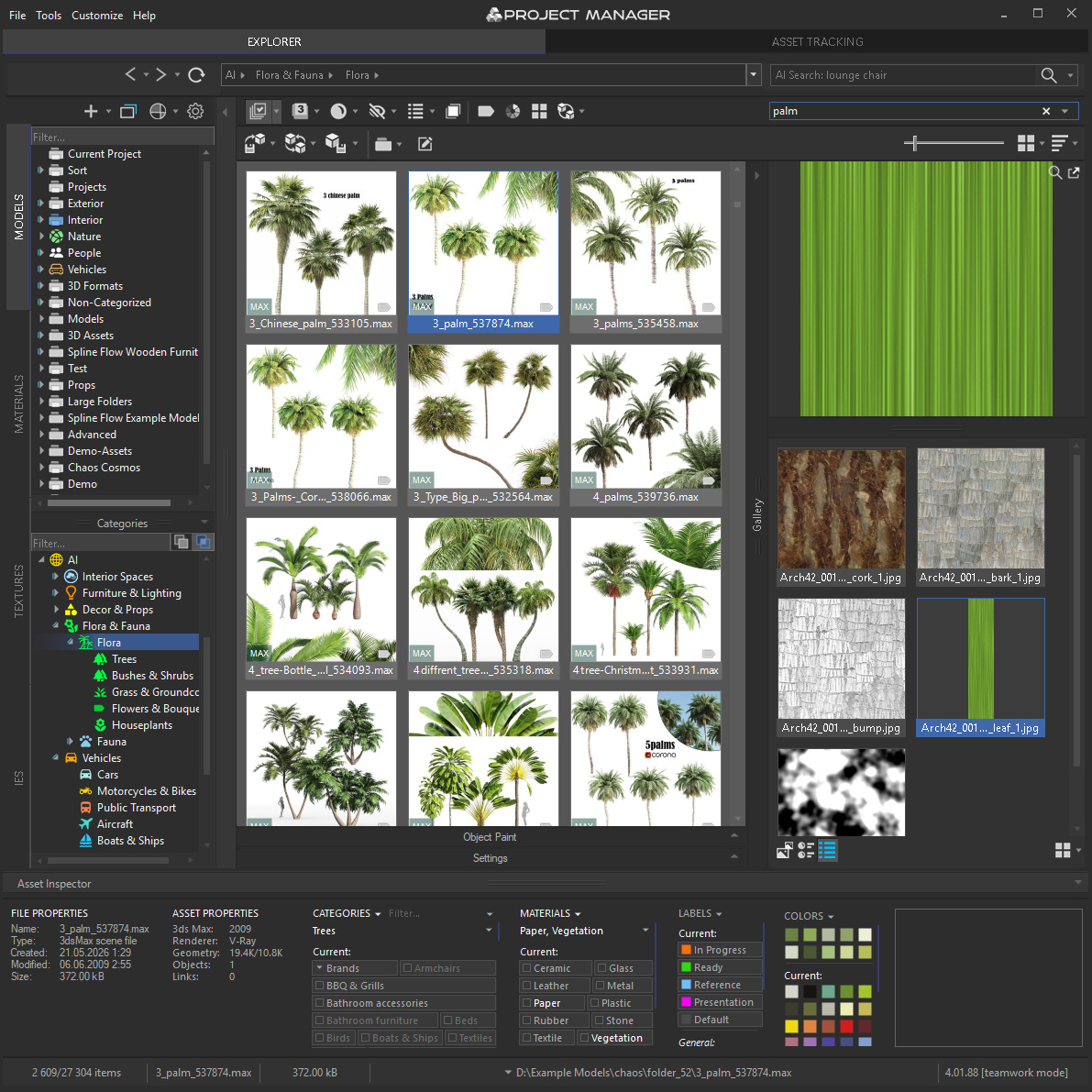
Describe what you need the way you’d say it out loud, “tall palm tree” or “rusty street bin”, and matching models appear as you type. No exact file names, no categories to remember.
Type in your own language: over 30 are supported, which feels about right for a challenge whose rules page is published in more than twenty.
References work much the same way. Drag in a photo, a render or even a rough pencil sketch of a palm, a lamp post or a bench, and Find Similar finds the models in your library that resemble it, once the library has been classified. Keep a project’s references together as a Reference Set and switch between sets in a click. All of it runs on your own machine, with no subscription.
ZIP, RAR and 7z archives open almost like ordinary folders: browse the nested structure and drag a model straight into the viewport without unpacking.
Materials and HDRIs without the detours
Textures and maps drag straight into slots in the Slate and Compact Material Editors, including OpenPBR.
HDRIs drag just as easily into Environment or into a material slot.
Material libraries (.mat) have a dedicated Materials tab.
Predictable results
Library thumbnails can be batch-rendered under consistent lighting and camera settings, making it easier to compare models at a glance. Before merging, you can inspect a model up close or in an interactive 3D render.
The External Links tab shows which files a scene references, so you know what a model will bring along before it lands in your project.
Everything in one place
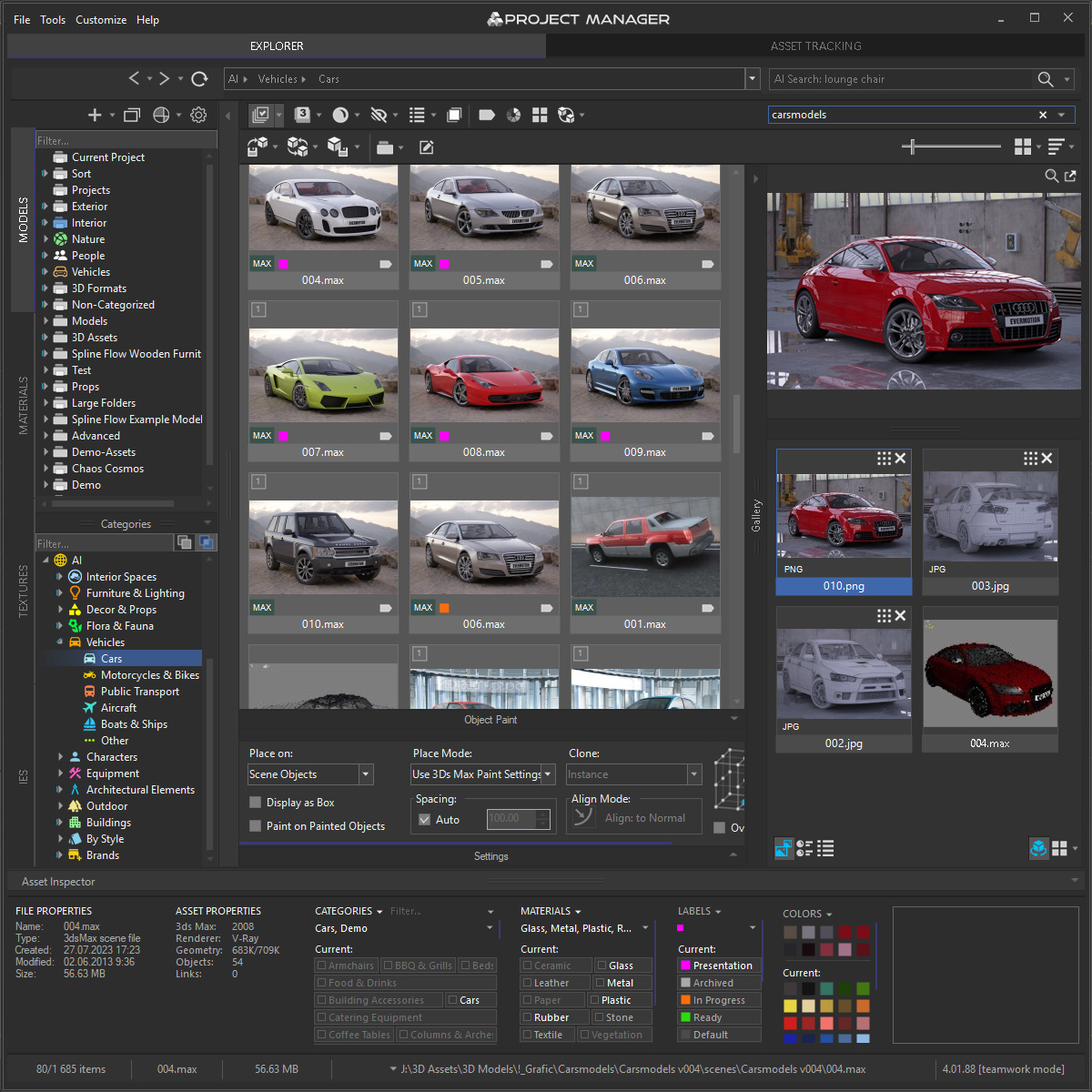
The Gallery lets you pin extra files to a model or scene: alternate angles, interim renders, video. In a challenge where a WIP is mandatory, it’s a convenient way to keep the history of your work next to the scene itself.
In fairness, no plugin will model the bodywork or light the scene for you. But every minute not spent hunting for a file is a minute spent on what the jury will actually see.
Prizes from Kstudio
Kstudio is contributing four full lifetime Project Manager licences, with no subscription:
- one licence each for 1st, 2nd and 3rd place in the still render category;
- one licence for the winner of the animation category.
They sit within the overall prize pool alongside awards from more than 15 sponsors, including software licences, render credits, subscriptions and training.
Key dates
- Submissions: 23 September – 1 December 2026 (until 15:00 GMT)
- Judging: 2–9 December
- Winners announced: 15 December
What next
If you’ve been meaning to model your dream car and put an alligator in the passenger seat, here’s your excuse. Rules and registration are on the challenge page. Start your WIP before you model the first polygon.
If you’d rather see how Project Manager copes with your own library, the demo has no time limit. Every second file in each folder is available; the rest are marked “Demo”. The plugin supports 3ds Max 2016–2027. Find out more on the product page.
I look forward to your entries, and to the alligator in a leading role.
The Car Render Challenge is an independent fan challenge by 3DModels.org. It is not affiliated with, endorsed or sponsored by Rockstar Games or Take-Two Interactive.