 Translate
- February 11, 2026 at 14:36 #46518
 Sergio Alonso ÁvilaParticipantPosts: 12Threads: 31Joined: Sep 2025
Good morning Oleksandr,
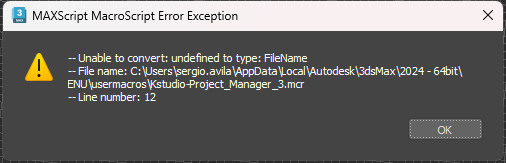
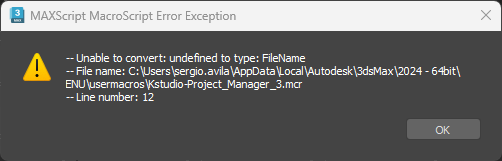
Today I updated the plugin to the last version (3.43.01) and when I re-open 3ds Max again this error appears:
How can I fix this issue?

Plugin version: 3.43.01
3ds Max version: 3ds Max 2024
Renderer: Arnold - February 11, 2026 at 14:37 #46521Oleksandr KramerModeratorPosts: 269Threads: 1411Joined: Aug 2009
Hello
Thank you for your feedback and for reporting this issue.
The toolbar launch problem you’ve encountered has been resolved in version 3.43.02.
Please download and install the latest version from your account: https://3d-kstudio.com/my-account/downloads/
Alternatively, until you update, you can launch Project Manager from the 3Ds Max menu instead of the toolbar.
If you continue experiencing issues after updating, please let me know.
- February 11, 2026 at 15:09 #46522Sergio Alonso ÁvilaParticipantPosts: 12Threads: 31Joined: Sep 2025
Hi again
I reinstalled the updated version and still appears the same issue with the same message. Maybe Im not reinstalling it right?
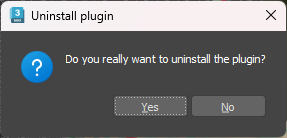
Because when I unistall the plugin it appears to do it
And suddenly it appears again in the toolbar like I didn´t unistall it and I dont really understand why.
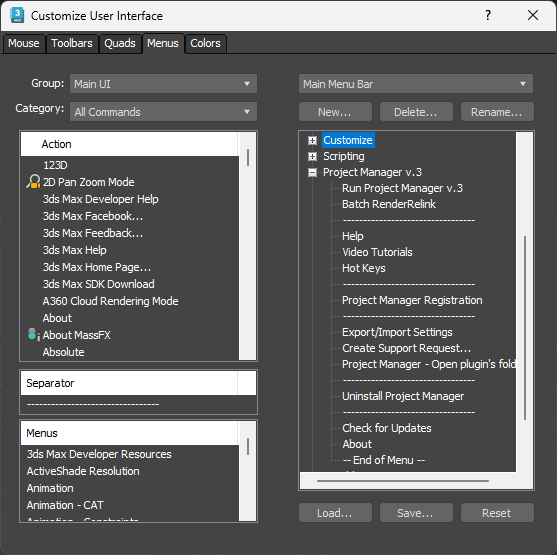
Also about open Project Manager through the 3ds Max menu from where exactly can I do that?
I tried from here but I dont know if I´m doing it right either.
- February 11, 2026 at 15:52 #46523Oleksandr KramerModeratorPosts: 269Threads: 1411Joined: Aug 2009
Hello,
Thank you for the update. The issue is that the installation didn’t properly write the startup script with the global variable definition to your startup folder.
Could you please help me diagnose this by doing the following:
1. Open the MaxScript Listener in 3ds Max (press F11 or go to Scripting > MaxScript Listener)
2. Copy and paste this command into the listener:print (getfiles (getdir #userstartupScripts + “/*Kstudio*.ms”))
3. Press Enter and send me the output
This will show us what startup scripts are currently in your folder. The installation should have created a file there that defines the global variables, and if it’s missing, that explains the error you’re seeing.
Please send me the output from the MaxScript Listener so we can determine the next steps to resolve this properly.
- February 11, 2026 at 15:55 #46524Oleksandr KramerModeratorPosts: 269Threads: 1411Joined: Aug 2009
The fact that the uninstallation doesn’t seem to work also points to an issue with the #userstartupScripts folder – the uninstaller cannot properly access or modify files in that location.
- February 11, 2026 at 16:23 #46525Oleksandr KramerModeratorPosts: 269Threads: 1411Joined: Aug 2009
Starting with 3ds Max 2021 Update 3, scripts with the “hidden” or “system” file attribute are not loaded.
Additionally, if you recently updated to Windows 11 24H2, this update automatically sets the #system attribute on the C:\Users\\AppData\Local folder, which prevents 3ds Max from loading any startup scripts from that location.
You can fix this by running the next scriptdirectories = #(systemtools.getEnvVariable “LOCALAPPDATA”, getdir #userMacros, getdir #userstartupScripts );
for dir in directories do try(
setFileAttribute dir #system false
setFileAttribute dir #hidden false
)catch(
(print(getCurrentException()))
)Then restart 3ds Max and try reinstalling Project Manager.
- February 11, 2026 at 17:32 #46526Sergio Alonso ÁvilaParticipantPosts: 12Threads: 31Joined: Sep 2025
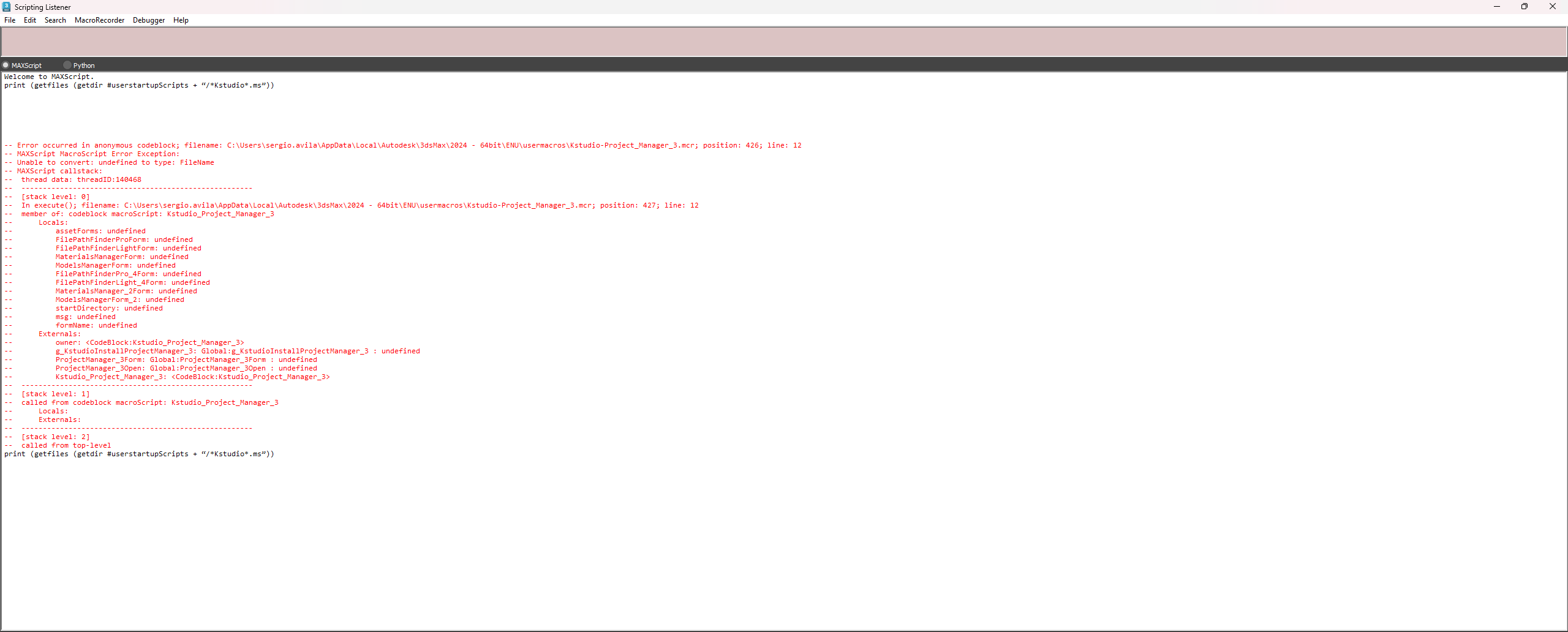
Good afternoon,
Here is what is shown at the MaxScript listener when I press enter with the code line:
- February 11, 2026 at 18:40 #46527Oleksandr KramerModeratorPosts: 269Threads: 1411Joined: Aug 2009
- February 12, 2026 at 09:22 #46528Sergio Alonso ÁvilaParticipantPosts: 12Threads: 31Joined: Sep 2025
Good morning Oleksandr,
Doesn´t seem to do nothing and the issue persist. I don´t really know what else to try or from where can I manage this problem.
- February 12, 2026 at 09:36 #46529Sergio Alonso ÁvilaParticipantPosts: 12Threads: 31Joined: Sep 2025
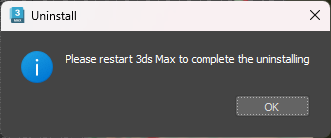
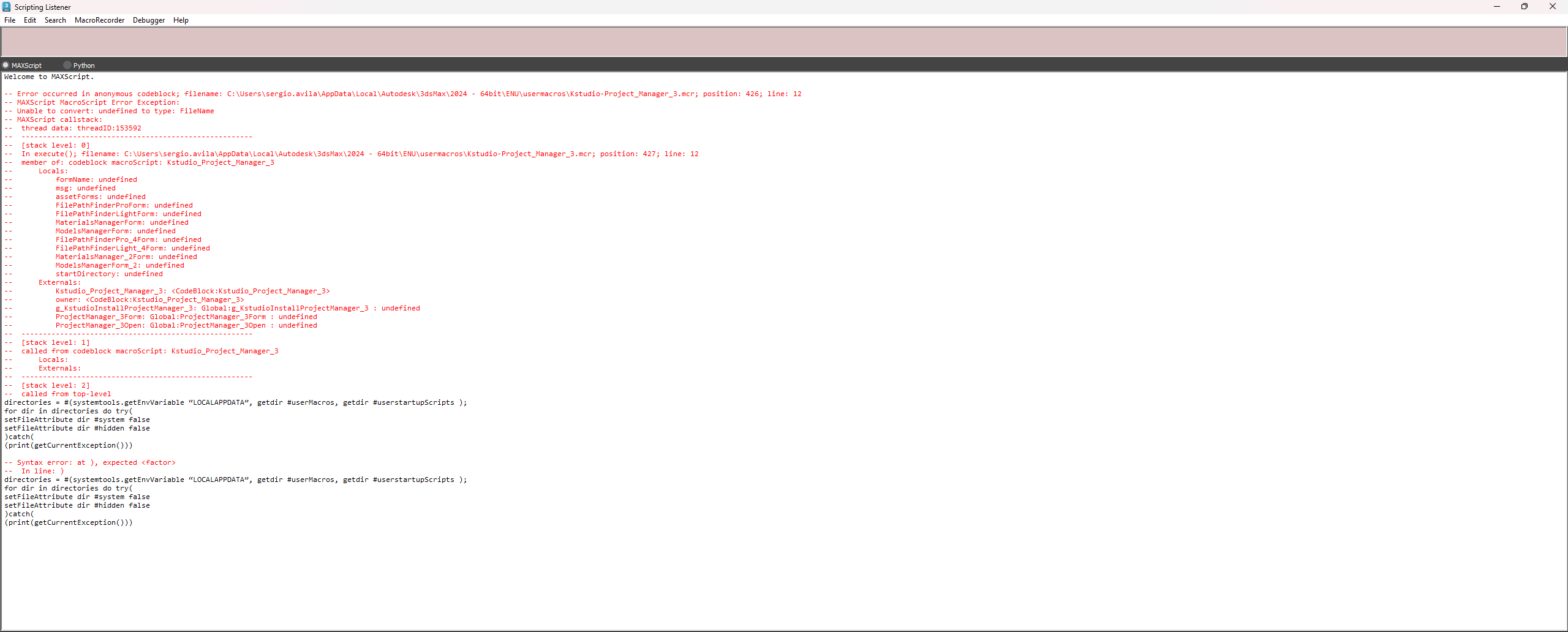
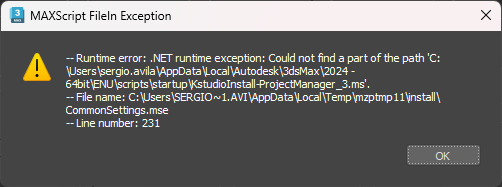
I also try to reinstall it after the process and this happens.
This message appears :
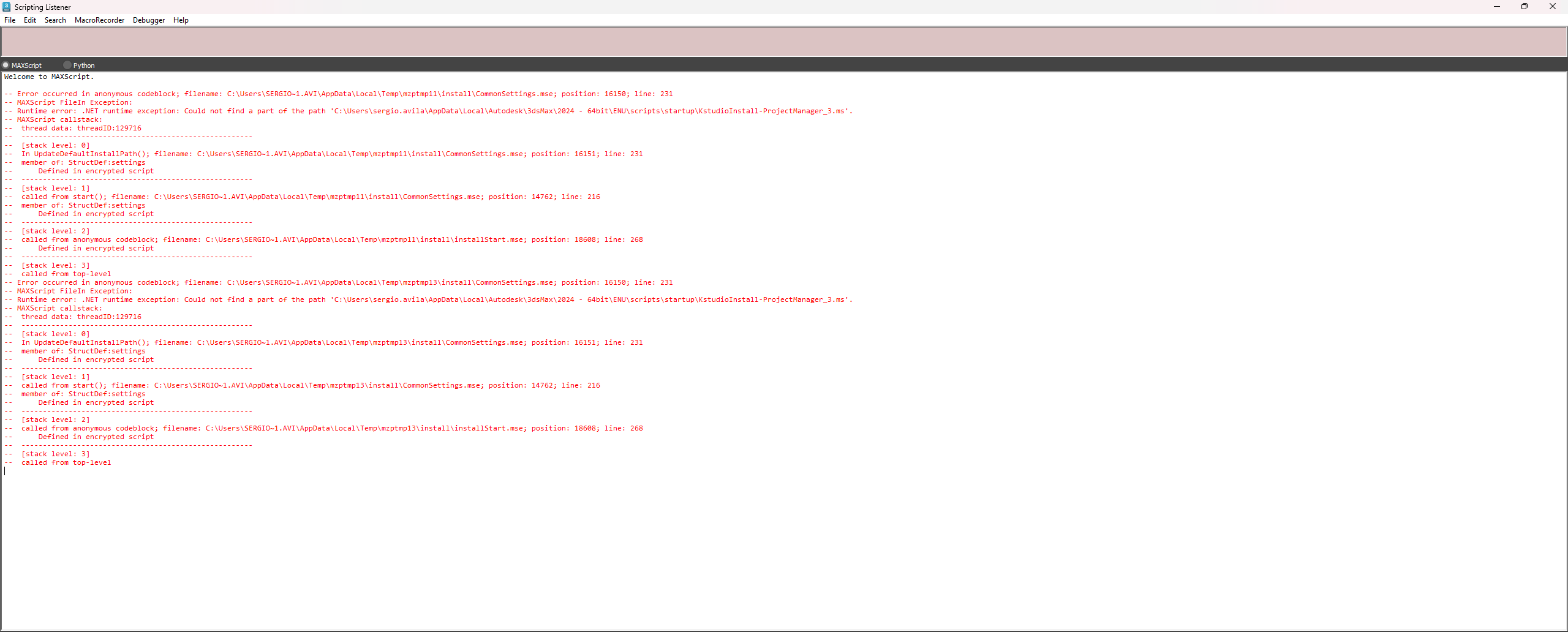
And this is what is shown in the Max Script Listener:
- February 12, 2026 at 10:45 #46531Oleksandr KramerModeratorPosts: 269Threads: 1411Joined: Aug 2009
The site changed the quotation marks, so the script did not work.
Save the script from the pastebin, save it as script with “.ms” extension and run ( Maxscript => Run Script)
https://pastebin.com/EGQJjCwVPS. Please post text as text, not as images
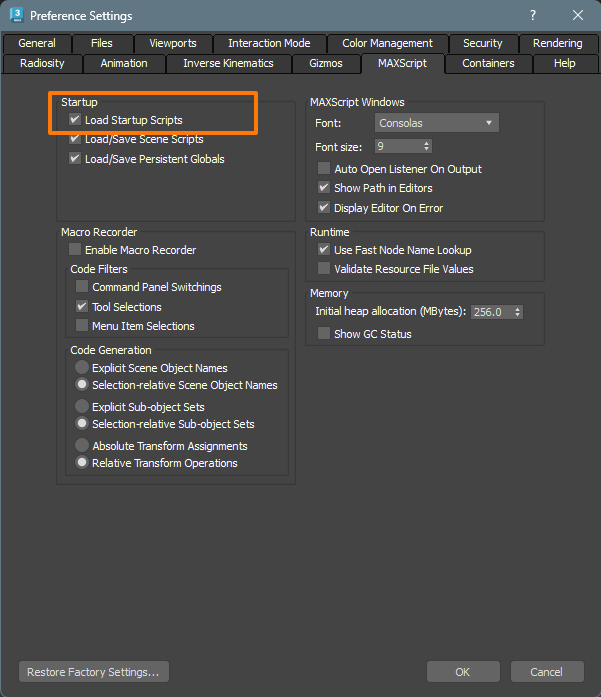
Also check if this option is enabled
- February 12, 2026 at 12:53 #46533Faik TofurParticipantPosts: 1Threads: 1Joined: Jun 2021
Hello,
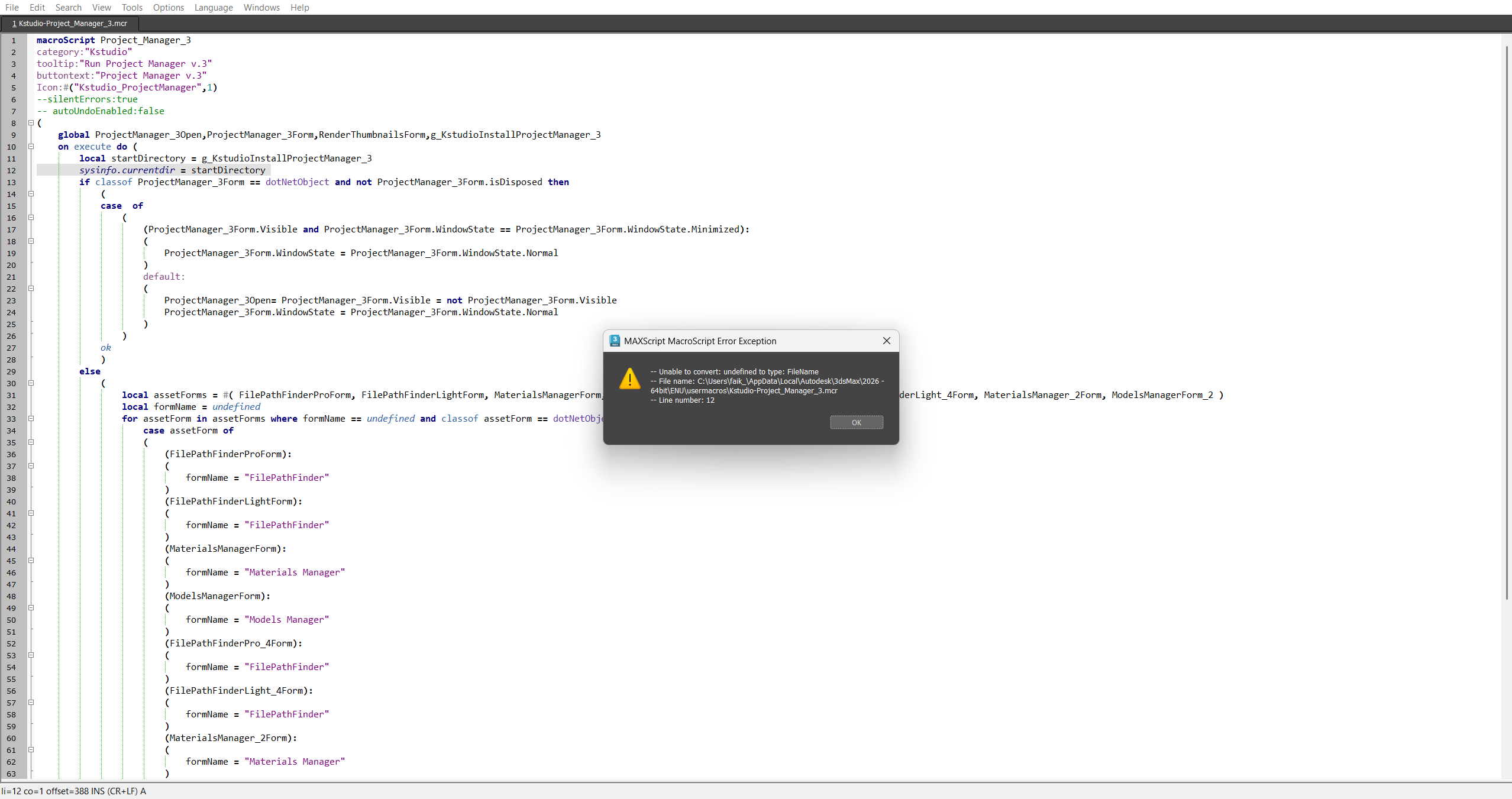
I’m having exact same issue. I reinstall the project manager. I did install it again (v3.43.02). It’s available only that session. Once I quit and launch 3ds max, I can’t see the project manager. When I check with shortcut (by pression X and searhing for project manager), I’m seeing same error.
I use 3ds max 2026 with latest update.
PS: I couldn’t open pastebin url that @Oleksandr Kramer shared
- February 12, 2026 at 12:55 #46534Sergio Alonso ÁvilaParticipantPosts: 12Threads: 31Joined: Sep 2025
I will try to do it with “.ms” extension and see what happens
The option Load Startup Scripts was disabled and I enable it too.
Sorry about the images , this is what appears in the MaxScript Listener when I try to access to Project Manager (all of this without doing the previous steps) :
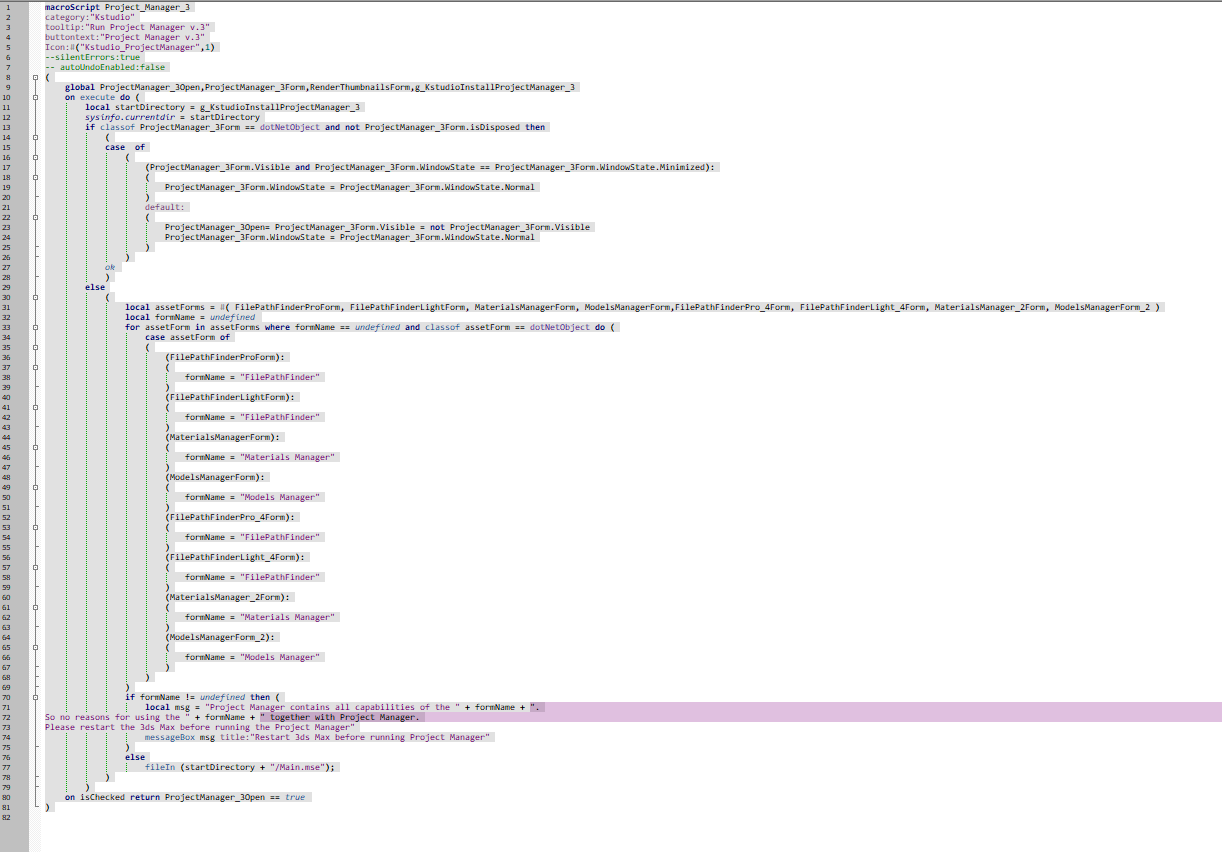
— Error occurred in anonymous codeblock; filename: C:\Users\sergio.avila\AppData\Local\Autodesk\3dsMax\2024 – 64bit\ENU\usermacros\Kstudio-Project_Manager_3.mcr; position: 426; line: 12
— MAXScript MacroScript Error Exception:
— Unable to convert: undefined to type: FileName
— MAXScript callstack:
— thread data: threadID:103444
— ——————————————————
— [stack level: 0]
— In execute(); filename: C:\Users\sergio.avila\AppData\Local\Autodesk\3dsMax\2024 – 64bit\ENU\usermacros\Kstudio-Project_Manager_3.mcr; position: 427; line: 12
— member of: codeblock macroScript: Kstudio_Project_Manager_3
— Locals:
— assetForms: undefined
— FilePathFinderProForm: undefined
— FilePathFinderLightForm: undefined
— MaterialsManagerForm: undefined
— ModelsManagerForm: undefined
— FilePathFinderPro_4Form: undefined
— FilePathFinderLight_4Form: undefined
— MaterialsManager_2Form: undefined
— ModelsManagerForm_2: undefined
— startDirectory: undefined
— formName: undefined
— msg: undefined
— Externals:
— owner: <CodeBlock:Kstudio_Project_Manager_3>
— g_KstudioInstallProjectManager_3: Global:g_KstudioInstallProjectManager_3 : undefined
— ProjectManager_3Form: Global:ProjectManager_3Form : undefined
— ProjectManager_3Open: Global:ProjectManager_3Open : undefined
— Kstudio_Project_Manager_3: <CodeBlock:Kstudio_Project_Manager_3>
— ——————————————————
— [stack level: 1]
— called from codeblock macroScript: Kstudio_Project_Manager_3
— Locals:
— Externals:
— ——————————————————
— [stack level: 2]
— called from top-level- February 12, 2026 at 13:10 #46535Oleksandr KramerModeratorPosts: 269Threads: 1411Joined: Aug 2009
Hello,
Thank you for the update and for checking the “Load Startup Scripts” option.
Important: After enabling “Load Startup Scripts” in the preferences, you need to restart 3ds Max for the changes to take effect. Please close 3ds Max completely and reopen it, then try using Project Manager again.
If the issue persists after restarting, don’t worry – I’ll be releasing an update within the next few hours that will work around the startup scripts system entirely, which should resolve these installation issues.
Please let me know if restarting 3ds Max after enabling “Load Startup Scripts” resolves the issue, or if you continue to see the error.
- February 12, 2026 at 13:22 #46536Sergio Alonso ÁvilaParticipantPosts: 12Threads: 31Joined: Sep 2025
Hi again Oleksandr,
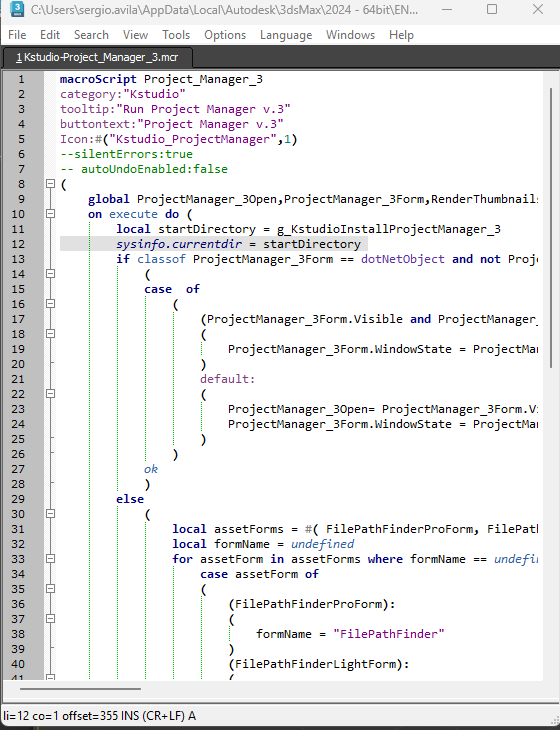
Unfortunately the issue persist , I close every 3ds Max scene that were opened , reopen it again , try to click on the Project Manager button and it still giving me this two messages :
- February 12, 2026 at 17:35 #46540Oleksandr KramerModeratorPosts: 269Threads: 1411Joined: Aug 2009
Please download and install the version 3.43.03 from your account:
https://3d-kstudio.com/my-account/downloads/




You must be logged in to reply to this topic.

