 Translate
- February 15, 2026 at 08:44 #46549
 Gethin HooperParticipantPosts: 19Threads: 28Joined: Jun 2019
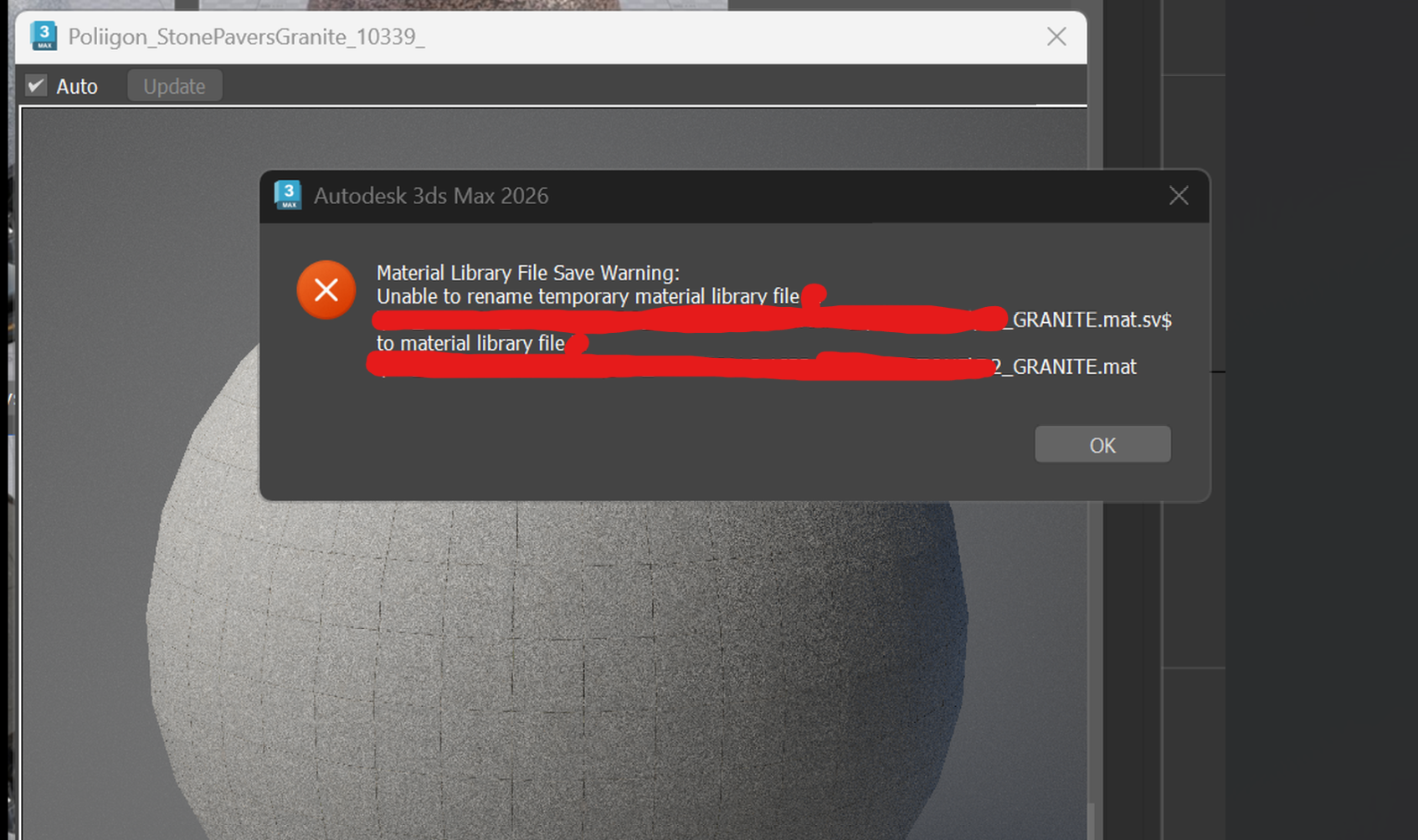
Random unable to rename temporary material library file error when dragging a material from mat editor to project manager
This only seems to happen with materials -saving any other file type is fine. I’ve excluded .mat files from AV -doesn’t make a difference. I’ve checked permissions -all good. So I’m stumped -don’t know what’s causing it …it works sometimes then it errors.
Plugin version: 3.42.46
3ds Max version: 2026.3
Renderer: corona - February 15, 2026 at 08:45 #46551Oleksandr KramerModeratorPosts: 269Threads: 1411Joined: Aug 2009
Could you clarify where you’re saving the materials when this error occurs? Is it to:
A local drive (C:, D:, etc.)?
A network/mapped drive?
A cloud-synced folder (OneDrive, Dropbox, Google Drive, etc.)? - February 15, 2026 at 13:56 #46553Gethin HooperParticipantPosts: 19Threads: 28Joined: Jun 2019
It’s accessing a network share in a domain. User read/write privileges are all correct and it works fine with everything else. I have discovered that it works fine with materials with maps up to 6k -no problem. As soon as you use 8k maps in the material it errors with unable to rename temporary material library file..it’s been fine in previous versions of PM

- February 15, 2026 at 19:07 #46554Oleksandr KramerModeratorPosts: 269Threads: 1411Joined: Aug 2009
It’s not actually dependent on the Project Manager version. The issue is related to how file operations work on network versus local drives. Most likely, you would encounter the same error when saving material libraries using the standard 3ds Max dialogue.
To prevent this reliably, the plugin will now save the file locally first, then copy it to the original destination.
Please try version 3.43.08
You can download the latest version from the dashboard.
The auto-updater will be triggered in a few days if no critical issues are found.
Thanks for your feedback. - February 17, 2026 at 16:36 #46590Gethin HooperParticipantPosts: 19Threads: 28Joined: Jun 2019
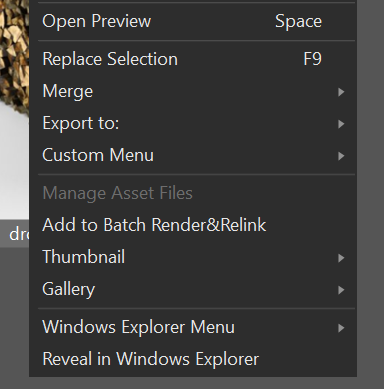
Now the option to manage asset files is permanently greyed out in latest version.
- February 17, 2026 at 23:44 #46594Oleksandr KramerModeratorPosts: 269Threads: 1411Joined: Aug 2009
This option hasn’t changed in the code.
It simply means the selected file doesn’t support metadata or has no assets to manage. - February 18, 2026 at 11:46 #46600Gethin HooperParticipantPosts: 19Threads: 28Joined: Jun 2019
Can confirm that this is PM version issue as it works in 3.42.46. So something has changed somewhere in the latest version.
- February 19, 2026 at 12:51 #46605Oleksandr KramerModeratorPosts: 269Threads: 1411Joined: Aug 2009
Thank you for confirming this. To help me investigate and reproduce the issue, could you please:
1. Send me one of the files where “Manage Asset Files” is greyed out
2. Record a short video showing the plugin startup and the issue occurring
3. Generate a support request through the plugin (this will include your system configuration and logs)
This information will help me reproduce and resolve the problem more quickly.
You can send the files via the support request system or upload them to a file sharing service and share the link.
- February 21, 2026 at 16:16 #46611Gethin HooperParticipantPosts: 19Threads: 28Joined: Jun 2019
This is working again now after a restart -so it must have been something on my end! Thanks.


You must be logged in to reply to this topic.

