 Translate
Tagged: fusion updating problems
- October 28, 2025 at 19:28 #46089
 Yves-Gael JACAKParticipantPosts: 1Threads: 1Joined: Oct 2025::
Hello,
I just purchase Fusion and i can’t activate it.I recieved an “ACTIVATION KEY” but i don’t understand what should i do with it !
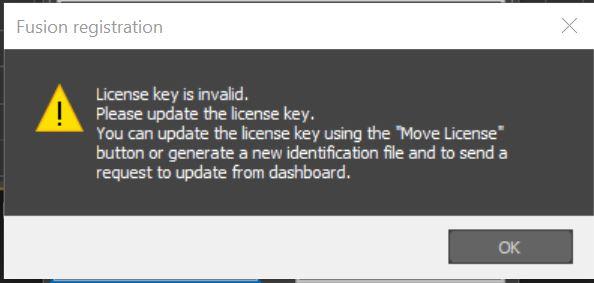
When i open the “Licence” box in Fusion’s modifier, it allow me to past an “LICENSE KEY”.When i past my “ACTIVATION KEY” in it:

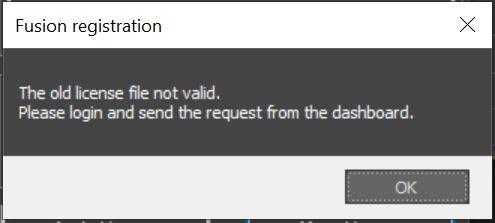
And when i try into “Move license” :
Am i crazy or is there a problem ?
Thank you very much :)
- October 28, 2025 at 19:34 #46091Oleksandr KramerModeratorPosts: 269Threads: 1411Joined: Aug 2009
It appears your firewall or antivirus is blocking the online activation process.
Please use the offline activation method with an ID file as described here: https://3d-kstudio.com/faq/installation-and-reception-of-license-key/
- October 28, 2025 at 21:38 #46092Yves-Gael JACAKParticipantPosts: 1Threads: 1Joined: Oct 2025
Perfect, thank you very much :)
Have a good day !
- April 17, 2026 at 06:38 #46776Dean SkidmoreParticipantPosts: 0Threads: 1Joined: Jul 2025
how to update fusion i have downloaded the fusion again but it just reinstalls saying i need to update
- April 17, 2026 at 17:08 #46777Oleksandr KramerModeratorPosts: 269Threads: 1411Joined: Aug 2009
It looks like you just need to update your license key
https://3d-kstudio.com/faq/installation-and-reception-of-license-key/#tab_plugins
The easiest way to do this is with the “Move License” option
https://3d-kstudio.com/faq/how-do-i-transfer-my-license-to-the-another-computer/



You must be logged in to reply to this topic.

