 Translate
Tagged: PBR generator
- February 26, 2025 at 23:59 #44175
 Vasil BaidashchukParticipantPosts: 1Threads: 6Joined: Dec 2014::
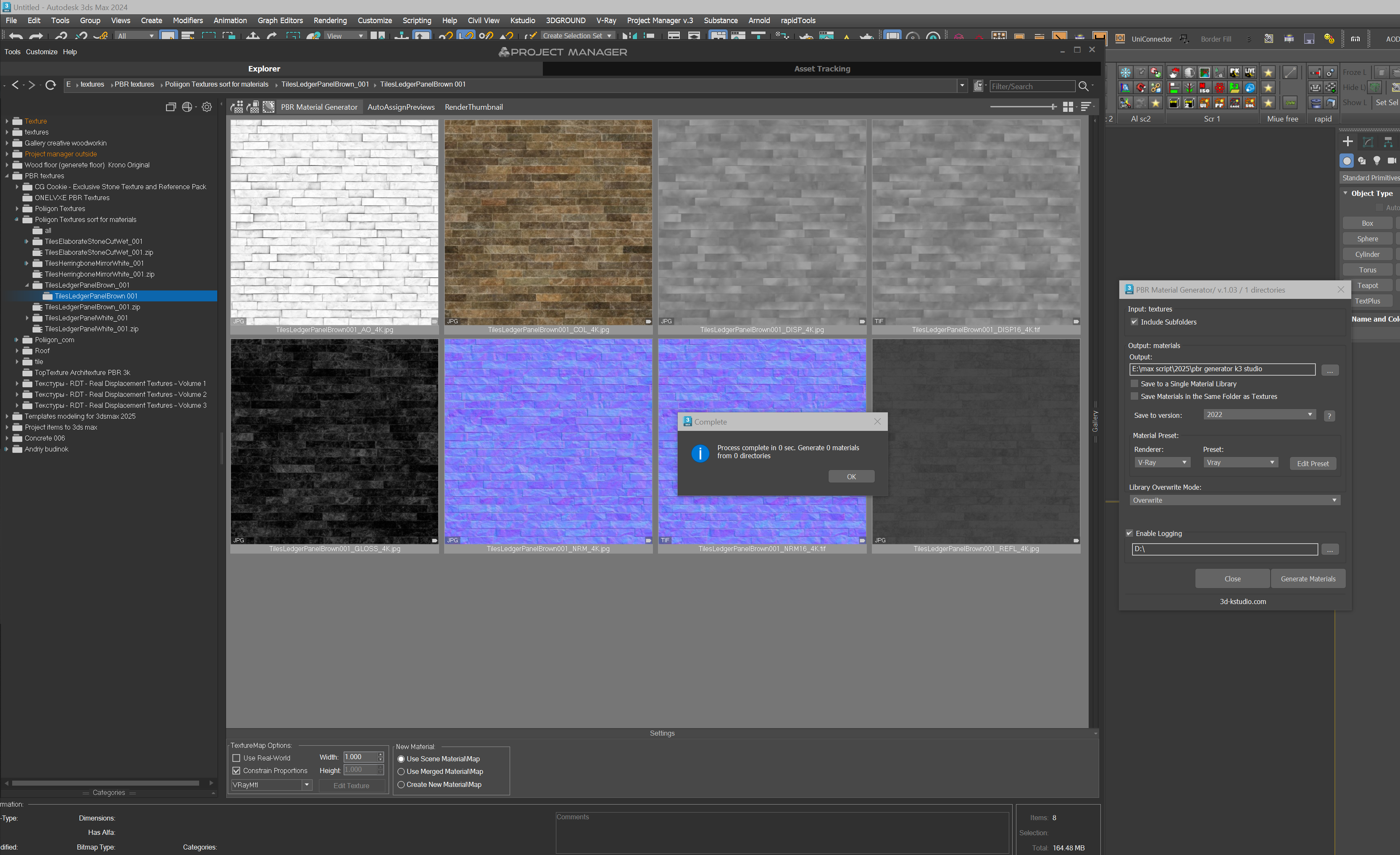
info from log
Process directory: E:\textures\PBR textures\Poliigon Textures\Architectural\
Process directory: E:\textures\PBR textures\Poliigon Textures\Architectural\FenceChainLink001\
Process directory: E:\textures\PBR textures\Poliigon Textures\Architectural\RoofShingles002\
Process directory: E:\textures\PBR textures\Poliigon Textures\Architectural\RoofShingles003\
Process directory: E:\textures\PBR textures\Poliigon Textures\Architectural\RoofShingles004\
Process directory: E:\textures\PBR textures\Poliigon Textures\Architectural\RoofShinglesOld001\
Process directory: E:\textures\PBR textures\Poliigon Textures\Architectural\RoofSlateGreyNew001\
Process directory: E:\textures\PBR textures\Poliigon Textures\Architectural\RoofSlateGreyOld001\
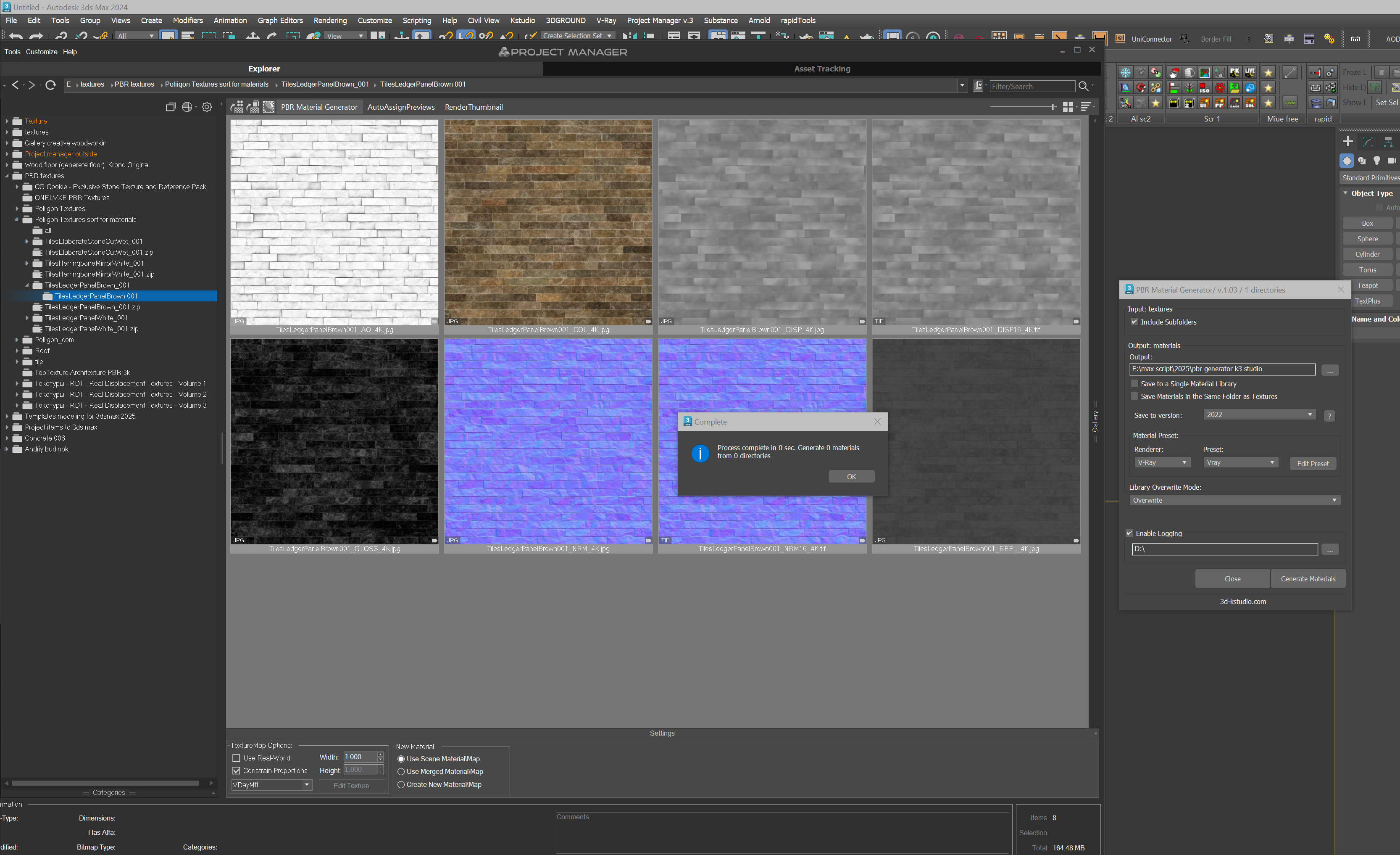
Process complete in 0 sec. Generate 0 materials from 0 directoriesPlugin version: 3.37.75
3ds Max version: 2024
Renderer: v-ray - February 27, 2025 at 00:02 #44178Oleksandr KramerModeratorPosts: 269Threads: 1411Joined: Aug 2009
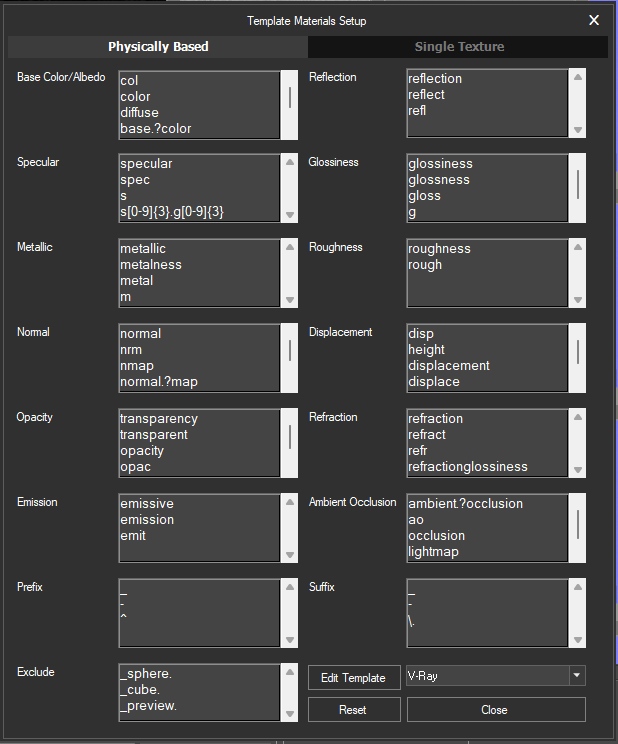
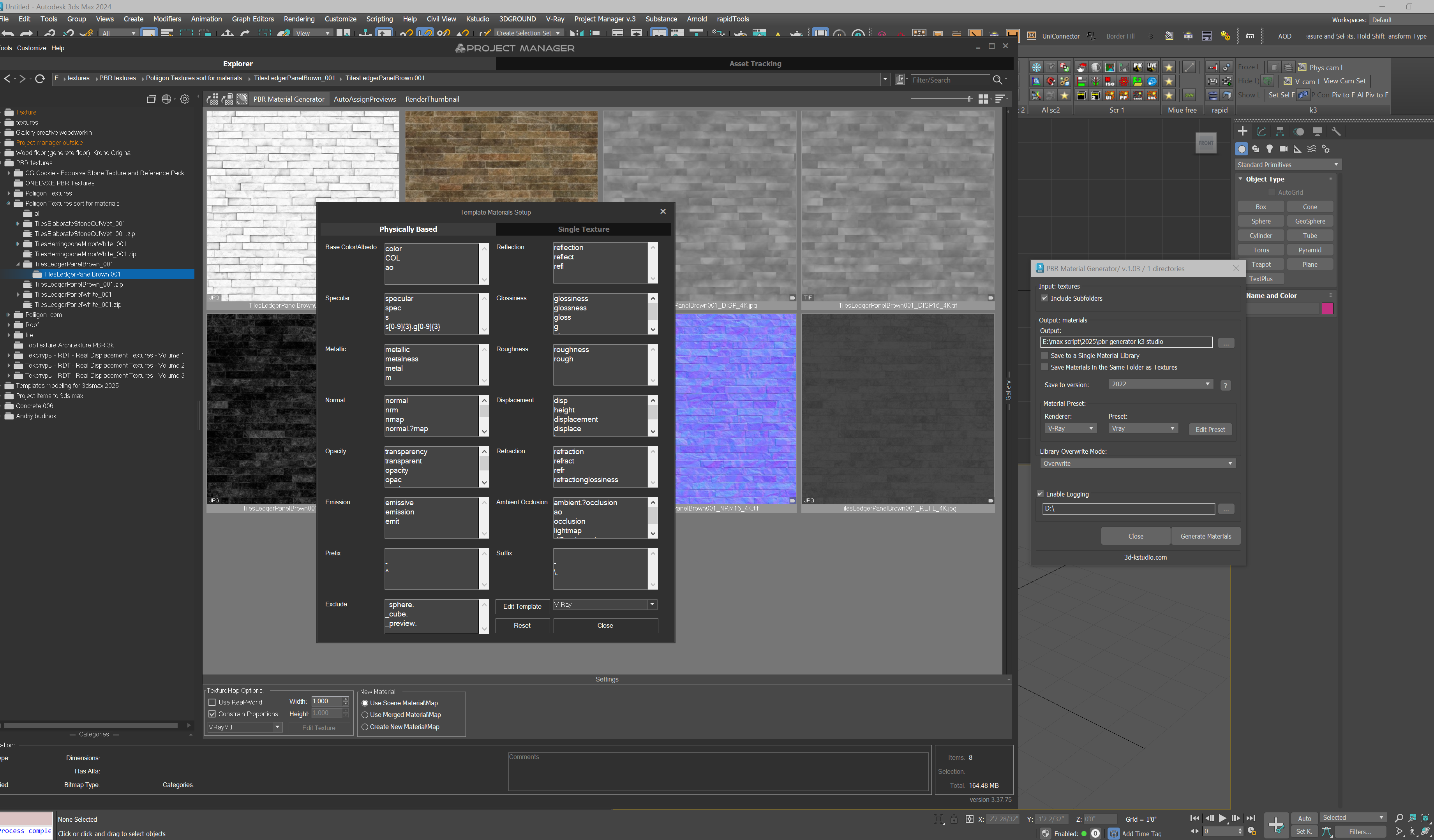
Try to reset PBR settings

- February 27, 2025 at 02:09 #44180Vasil BaidashchukParticipantPosts: 1Threads: 6Joined: Dec 2014
I reseted and it does not work. I tried a lot different actions but rusult the same.
- February 27, 2025 at 02:14 #44181Vasil BaidashchukParticipantPosts: 1Threads: 6Joined: Dec 2014

- February 27, 2025 at 02:16 #44182Vasil BaidashchukParticipantPosts: 1Threads: 6Joined: Dec 2014
- February 27, 2025 at 02:19 #44183Vasil BaidashchukParticipantPosts: 1Threads: 6Joined: Dec 2014
- February 27, 2025 at 02:21 #44184Vasil BaidashchukParticipantPosts: 1Threads: 6Joined: Dec 2014
- February 27, 2025 at 17:12 #44187Oleksandr KramerModeratorPosts: 269Threads: 1411Joined: Aug 2009
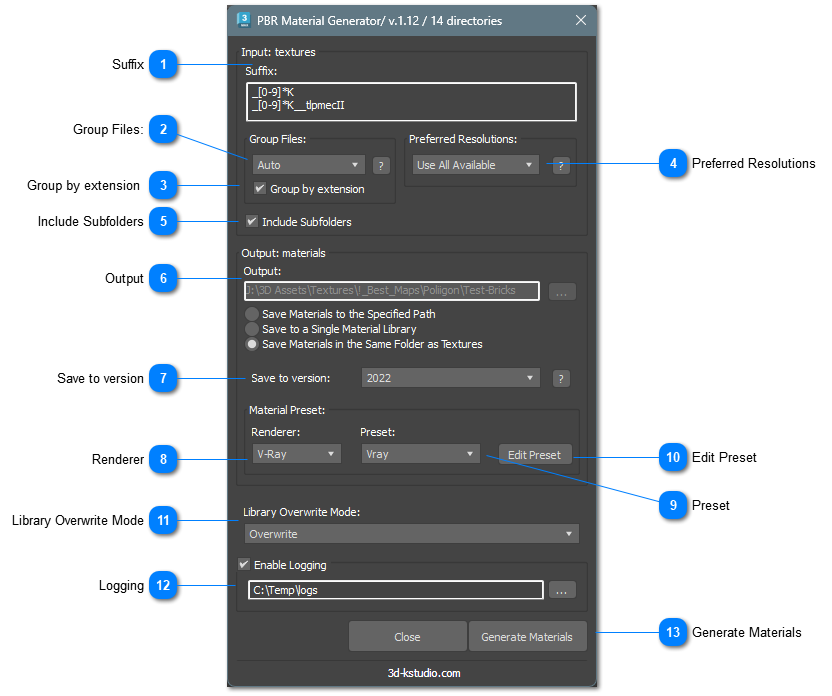
The updated PBR Material Generator 1.05 now supports suffixes, allowing you to ignore specific parts of file names when grouping textures.
🔹 What does this mean?
You can now specify a regular expression to ignore suffixes, such as _[0-9]*k, ensuring that textures are correctly grouped regardless of their resolution.
“_[0-9]*K” is default value. You can add custom suffixes.Example:
If you set the suffix to _[0-9]*k, the following files will be automatically grouped together:
✅ TilesOnyxOpaloBlack001_COL_1K.jpg
✅ TilesOnyxOpaloBlack001_DISP_1K.jpg
✅ TilesOnyxOpaloBlack001_GLOSS_1K.jpg
✅ TilesOnyxOpaloBlack001_NRM_1K.jpg
—–
✅ TilesOnyxOpaloBlack001_COL_2K.jpg
✅ TilesOnyxOpaloBlack001_DISP_2K.jpg
✅ TilesOnyxOpaloBlack001_GLOSS_2K.jpg
✅ TilesOnyxOpaloBlack001_NRM_2K.jpgThis helps avoid confusion with different texture resolutions and makes material organization more efficient.
The update is available now! 🚀
Thanks for your feedback!
[Resolved]
- February 27, 2025 at 17:36 #44188Vasil BaidashchukParticipantPosts: 1Threads: 6Joined: Dec 2014
Perfect! It Works. Thank you so much for your rapid response.
- March 16, 2025 at 14:19 #44277Step OneParticipantPosts: 0Threads: 1Joined: Jul 2022
When a texture is .jpg and an other .png or .tif the material does not incude this texture.
- March 17, 2025 at 23:13 #44289Oleksandr KramerModeratorPosts: 269Threads: 1411Joined: Aug 2009
Version 1.12 has a new option “Group by extension”



You must be logged in to reply to this topic.

