Translate

- February 16, 2025 at 22:00 #43922
 rosher denisParticipantPosts: 1Threads: 1Joined: Feb 2025
Thumbnails in the material gallery are displayed in very low quality.
much worse than in material editor of 3ds Max
Is it possible to configure this somehow?
max 2024 Corona 12
windows 11
GeForce RTX 3060
Plugin version: 3
3ds Max version: 2024
Renderer: corona 12 - February 16, 2025 at 22:01 #43927Oleksandr KramerModeratorPosts: 269Threads: 1413Joined: Aug 2009
This is limitations of interactive rendering preview.
Just render preview to get better quality.
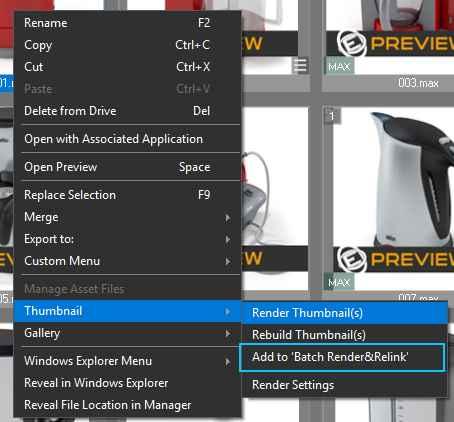
You can render preview one by one or using Batch Render tool, shipped with Project Manager

- February 17, 2025 at 22:16 #43943rosher denisParticipantPosts: 1Threads: 1Joined: Feb 2025
THANKS A LOT
- March 16, 2025 at 04:04 #44273Krzysztof LevinParticipantPosts: 0Threads: 4Joined: Apr 2023
Hi!
I have a ambient occlusion shader. It is a standard Arnold material with AO map. It is fine to add it to materials but when I go to thumbnails and render it, it renders a flat white color map instead of a sphere or a material globe. Also, is it possible to assign your own custom thumbnails from disk?
- March 16, 2025 at 09:31 #44276Oleksandr KramerModeratorPosts: 269Threads: 1413Joined: Aug 2009
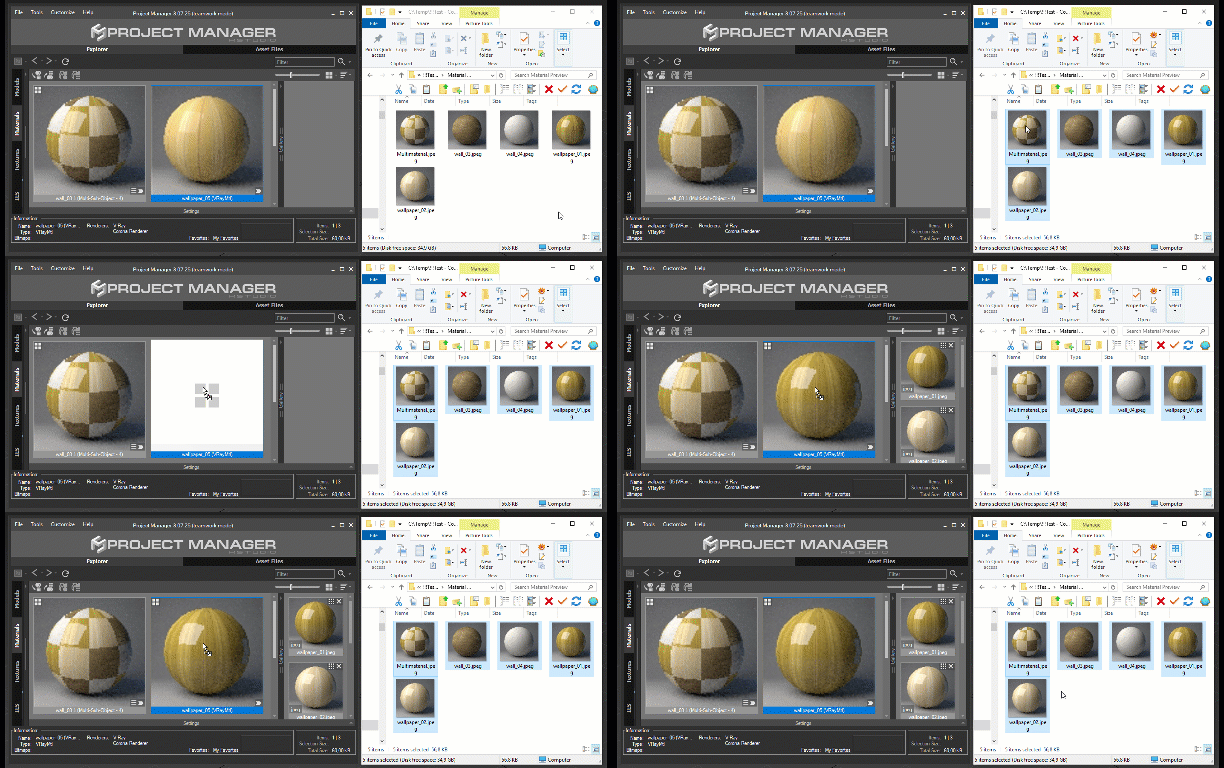
Just drag the image to the material/render preview or use the auto-assign preview tool. Note, that these options are available only for material libraries, not for scene materials.
https://3d-kstudio.com/tutorials/auto-assign-preview-for-3d-models-and-materials/
- March 18, 2025 at 17:40 #4429415810142059aParticipantPosts: 3Threads: 9Joined: Mar 2025
Hello, based on my testing, the plugin doesn’t seem very friendly with Arnold. When using thumbnails, specifying the use of the Arnold renderer always fails. Is this the case?
- March 16, 2025 at 23:10 #44280Krzysztof LevinParticipantPosts: 0Threads: 4Joined: Apr 2023
thank you. I did replace substance thumbnails. It all went ok, until the previews dissapeared for some reason and they refused to be replaced again. I drag the thumbnail into the PM but nothing happens. I worked really hard on this so Im sort of bummed now. I do not know what to do.
- March 18, 2025 at 20:53 #44304Krzysztof LevinParticipantPosts: 0Threads: 4Joined: Apr 2023
Did you link it in rendering settings?
- March 16, 2025 at 23:45 #44281Krzysztof LevinParticipantPosts: 0Threads: 4Joined: Apr 2023
3dsmax freezes sometimes to the point that I have to restart it again when dragging thumbnails. But I did figure out why they won´t show up. There is a number on each, and that is how many images there are for the shader. I have to delete them, and then drag into position. So I guess, it´s not that bad.
- March 17, 2025 at 01:29 #44282Oleksandr KramerModeratorPosts: 269Threads: 1413Joined: Aug 2009
It shouldn’t freeze. It looks like a bug. Please generate a bug-report.




You must be logged in to reply to this topic.