 Translate
- September 11, 2025 at 18:26 #45580
 Sergio Alonso ÁvilaParticipantPosts: 12Threads: 31Joined: Sep 2025
Hello, Oleksandr:
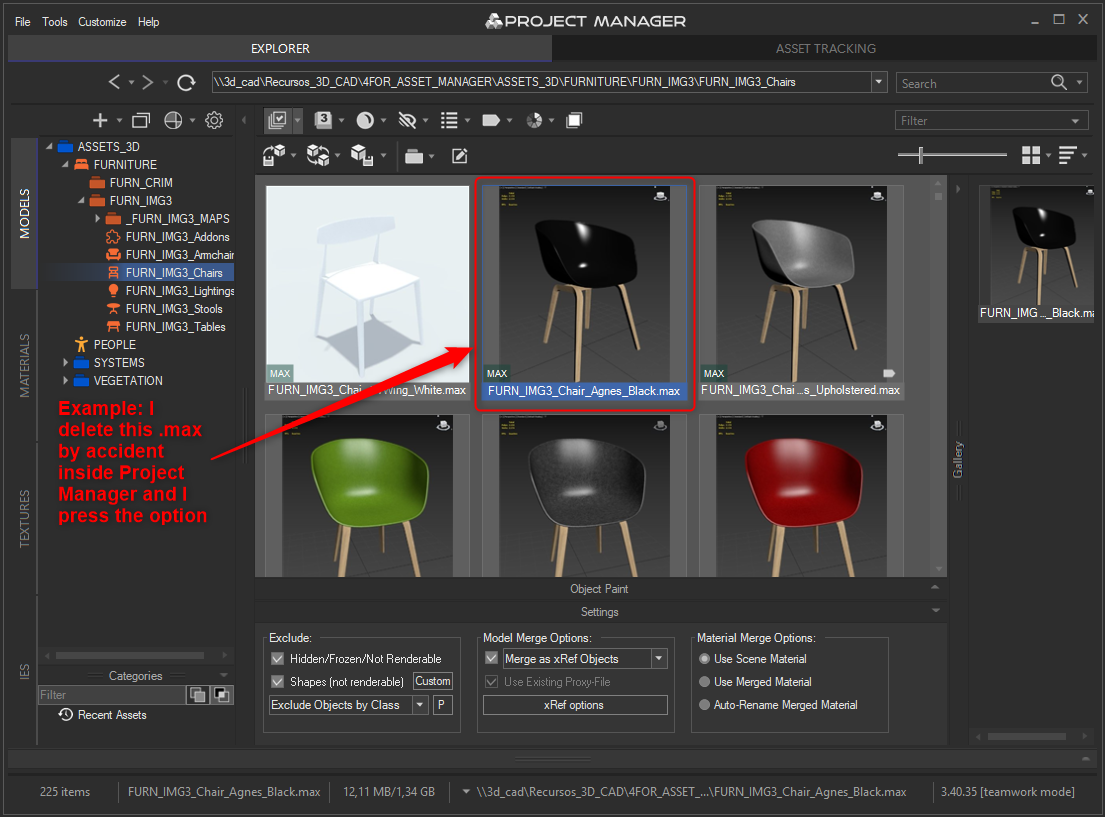
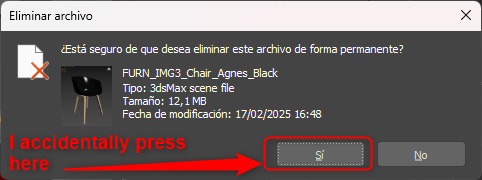
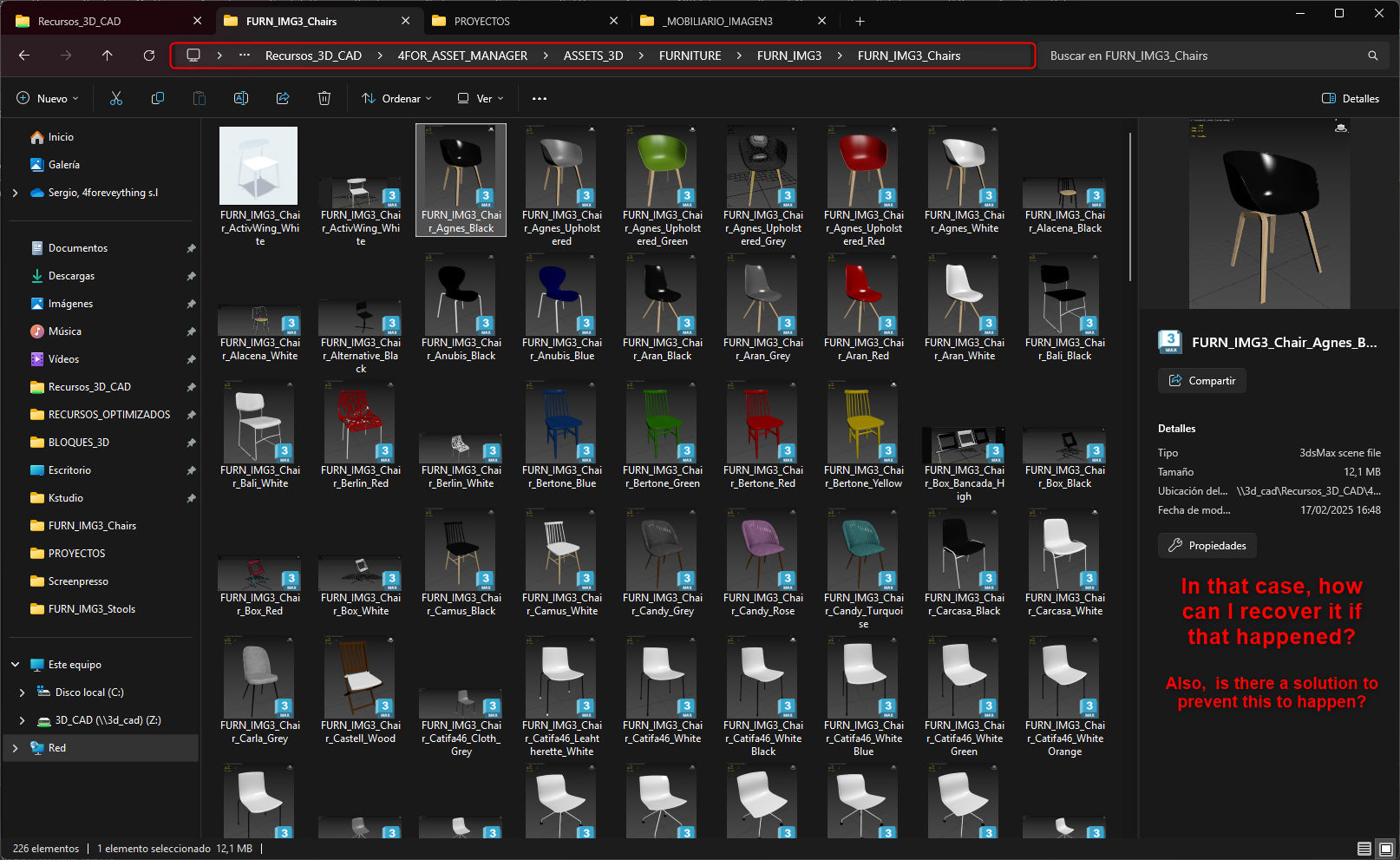
I am currently working on version 3.40.35 of Project Manager.I have a question about how different assets are linked within Project Manager itself. If I accidentally delete one of these assets within the add-on, for example, I delete a chair, it is also deleted from the file folder where I have the .max files for the assets. I want to try to avoid this. In other words, if I delete a resource or material within Project Manager, I would like it not to be deleted from the system folder where the .max files are located.
Is there a solution for this? Or is this possible?


Plugin version: 3.40.35
3ds Max version: 3ds Max 2024
Renderer: Arnold - September 11, 2025 at 18:28 #45584Oleksandr KramerModeratorPosts: 269Threads: 1412Joined: Aug 2009
Hello,
In the top part of the tree you see the system folders — so when you delete something there, the actual file is also removed from disk.
If your goal is only to hide or organize assets without touching the original files, please use Categories (the lower part of the tree) or apply filters instead.
That way the files remain in your system folder, and you just control how they are shown inside Project Manager.Here’s a short video showing how filters work:
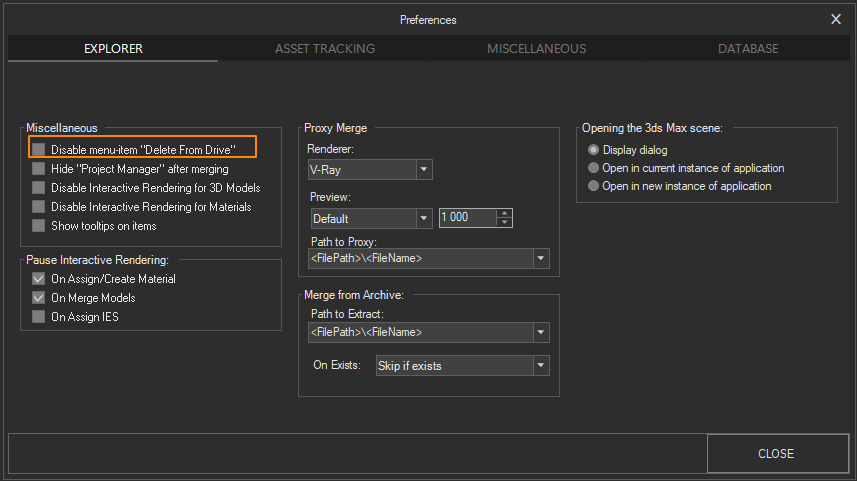
PS. You can hide the “delete file” menu item using Preferences
- September 12, 2025 at 09:58 #45589Sergio Alonso ÁvilaParticipantPosts: 12Threads: 31Joined: Sep 2025
Good morning, Oleksandr,
First of all, thank you for your quick response.
You see, my goal is to find out if there is any way to delete files from Project Manager while keeping them on the disk.If there is a way, what would it be? And if not, what would be the best solution, perhaps creating a backup folder maybe ?
Thanks again .
- September 12, 2025 at 11:40 #45590Oleksandr KramerModeratorPosts: 269Threads: 1412Joined: Aug 2009
You can do this using categories and filters
- September 12, 2025 at 12:47 #45591Sergio Alonso ÁvilaParticipantPosts: 12Threads: 31Joined: Sep 2025
Thanks again for your reply, Oleksandr.
I don’t want to hide the deleted files, I need to know if there is any way to find out where to recover them if they are deleted, or to prevent them from being deleted from the disk. - September 12, 2025 at 13:17 #45592Oleksandr KramerModeratorPosts: 269Threads: 1412Joined: Aug 2009
Use system tools to recover deleted files.
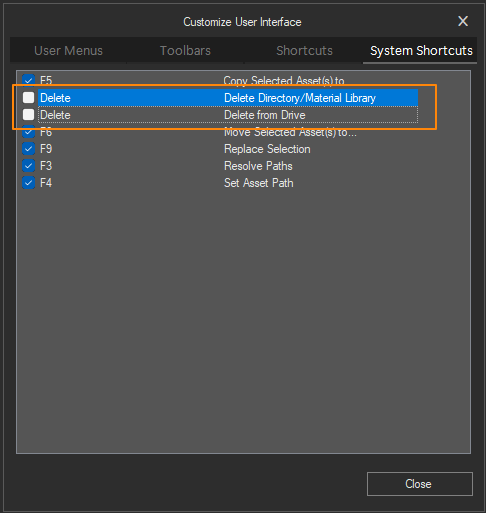
You can hide the “delete file” menu item using Preferences and disable system shortcuts using “Customize user interface” dialog.
- September 12, 2025 at 15:05 #45593Sergio Alonso ÁvilaParticipantPosts: 12Threads: 31Joined: Sep 2025
Thanks Oleksandr !
It works with the configuration from preferences, It doesn`t let me delete them , even if I push the delete button a thousand times! Which is what I wanted . So I really appreciate your help with this issue.
Kind regards.


You must be logged in to reply to this topic.

