Translate
Your library contains files Project Manager doesn’t show, or too many you don’t need?
Open the “Filter by file-type” dropdown on the Models or Textures tab to turn types on and off, and choose Edit to add your own extensions, for example .rar, .zip or .7z.
On the Models tab the list applies to all folders; on the Textures tab it is remembered per folder.
FAQ: Frequently Asked Questions - Page 7
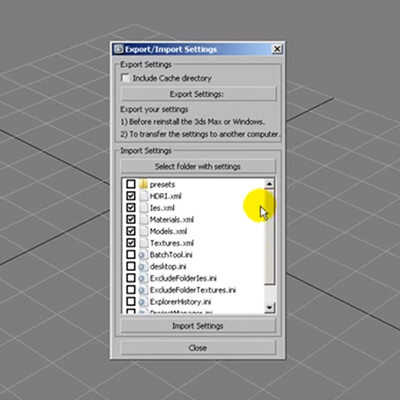
Reinstalling Windows or 3ds Max, or moving to a new computer?
Use Export/Import Settings to save your preferences into a file and restore them in a fresh installation.
Close Project Manager first (File → Exit) and tick every setting you want to import — the database is skipped by default and is moved separately, together with your libraries, categories and tags.
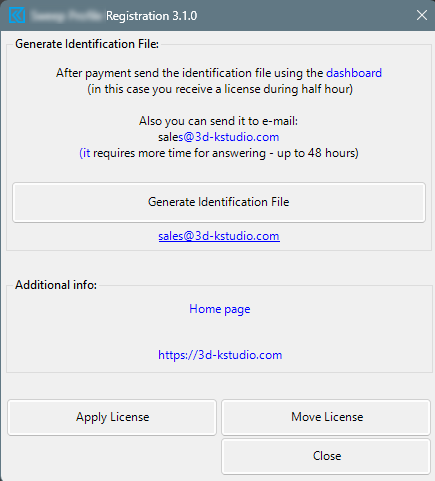
Troubleshooting License Application Issues
A folder looks empty or half-empty?
Project Manager shows only the file types enabled in the filter. Click the file-type filter button on the panel: on the Models tab turn the filters off, and every file in the folder appears.
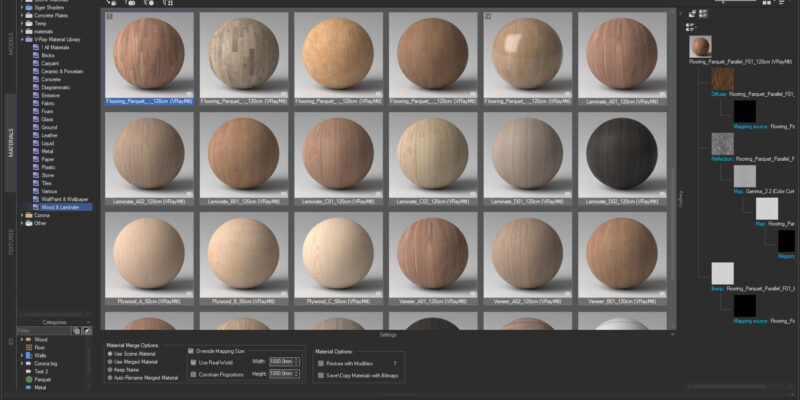
Choose a material with which you wish to replace a scene material. Copy it (CTRL + C) or from the context menu item “Copy”. Go to the catalog “Scene Materials” and select the material you want to replace. (To quickly find the material in the scene, you can use a >>filter) Choose in the context […]
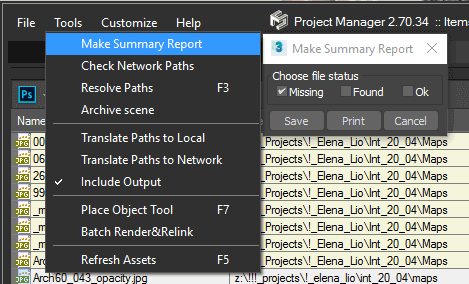
You can export the list of the missing maps to file using the menu-item “Make Summary Report” from menu “Tools”.