 Translate

- August 12, 2009 at 01:06 #118
 Oleksandr KramerModeratorPosts: 267Threads: 1383Joined: Aug 2009
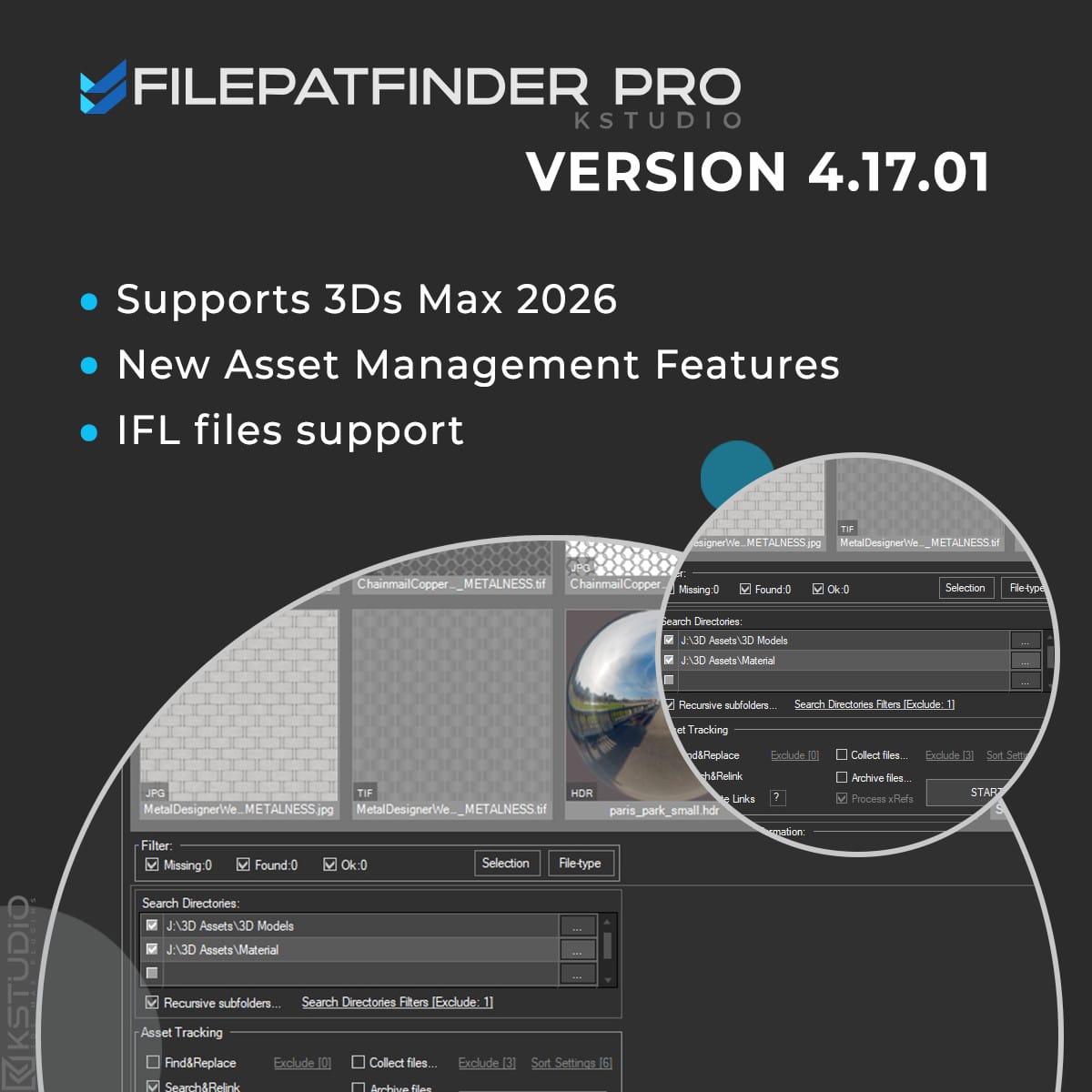
- Adds support to 3Ds Max 2026
- Play IFL, and animated GIFs directly in the list view
- Play IFL and animated GIFs in the external Asset Viewer
- Adds support to search/relink/collect/archive the content of IFL files
- Enhanced File Relocate Capability
- Adds Ability to Sort Assets by Asset Type/Extension
- Adds Ability to Include/Exclude Files from Renaming by Extension
- Adds Ability to Include/Exclude Files from Collecting by Extension
- “Duplicate Asset Replacement” Dialog UI Improvements
- Adds Ability to Include/Exclude Directories from Searching by mask
- Ability to change selected assets directly from the Asset Viewer using keyboard shortcuts
- Adds an ability to include/exclude search directories by filename
- Adds support to archives larger than 4GB
- Adds buttons to the panel on the Asset Tracking tab: “Show/Hide Map in Viewport,” “Mass Rename Items,” and “Mass Convert Images”
- Adds an ability to set different width/height for rendering preview thumbnails for models and materials
- Adds an ability to turn off/on lights from model scenes on rendering preview thumbnails
- Show more accurate information about missing files in the status bar
- More accurate material/texture placement in SME
- Drops support to light theme
- Drops support to 3ds Max 2014 and 2015
- Drop support to rendering preview for IES files ( interactive rendering already supports IES)
- Fixes an issue with including/excluding search directories by filename
- Fixes an issue with searching, relinking, collecting, and archiving the content of IFL files
- Fixes an issue with relink assets in batch mode for Demo version
- Fixes an issue with renaming external scene links with status #Found
- Fixes some issues with relink assets using exclude directories
- Fixes a bug with relinking assets in huge scenes
- Fixes a bug when using the tool together with Materials Manager and Models Manager
- Fixes a bug with rendering preview
- Fixes a bug when collecting maps for several materials libraries
- Fixes an bug with crashing on interactive rendering Substance Shaders
- Fixes a bug that occurred on some computers during asset relinking
- Fixes an issue with converting some images to greyscale
- Fixes an issue with converting some images to other formats
- Fixes an issue with converting some images to greyscale
- Fixes an issue with converting some images to other formats
- Fixes some minor issues with relink material libraries
- Fixes an issue with network relative paths
- Fixes an issue with installation on some systems
- Fixes a minor issue with searching assets on relink
- Fixes an issue with rendering preview for scenes, that contain hidden layers
- Fixes some minor issues with renaming multiple and single assets
- Fixes an issue with rendering preview for some models without studio scene
- Fixes some issues with HiDPI screens with some specific scale factors
- Fixes an issue with storing some settings on relinking
- Fixes an issue with rendering preview for files with missing assets using VRay with some specific settings
- Some other optimizations, fixes and speed improvements
- Extremely speeds-up collect files on batch relink
- Fixes some minor issues with the Converting Images tool
- Fixes a bug with opening the plugin on scenes that contained Anima objects
- Fixes an issue with applying an activation key
- Adds support to batch archive 3ds MAX files and Material libraries with assets
- Adds support to paths longer than 256 characters
- Adds an ability to convert images to TX format
- Some optimizations and speed improvements
- Fixes an issue with renaming links on xRef scenes using Advanced Asset Renamer
- Fixes a bug on relinking and collecting assets
- Fixes an issue with relinking paths longer than 256 characters
- Fixes an issue with refreshing assets after relink in version 4.00.26
- Allows to setup desired view for studios without camera
- Fixes an issue with relinking OSLMap
- Fixes an issue with slow opening right-menu in some scenes
- Fixes a bug setting path for links contained illegal characters
- Adds support to 3ds Max 2022
- Adds an ability to convert and resize images
- Ability to mass-rename links ( menu Tools => Mass Rename Tool )
- Adds the “Fast mode” for relinking 3ds Max files and material libraries in the batch mode
- Adds an ability to Find & Replace part of paths in batch mode
- Adds an ability to specify output filename on rendering previews for models
- Setup multiple custom studios for rendering 3d models and material libraries
- Adds an ability to specify pivot point on rendering preview for models
- Adds a new BatchModes to ‘Batch Render&Relink’ API – #RelinkPreSave, #RelinkPostSave. See an example in file “presetsAPI examplesBatch Script Example.ms”
- Adds support to IES interactive rendering
- Fixes an issue with removing atmospherics on rendering previews
- Fixes an issue with isolated nodes when rendering previews
- Fixes an issue when monitor screen DPI uses a scale of more than 100%
- Fixes an issue with rendering some scenes with Corona 6
- Adds support to ArchVision RPC. Display native preview.
- Adds support to “.MC” files in Point Cache modifier
- Adds an ability to rendering previews using Corona Frame Buffer.
- Drops support to 3ds Max 2013
- The methods of generation preview for Substance and additional 3ds Max image formats (such as vrimg and etc.) was rewritten.
- Move plugin to directory and category “Kstudio”
- Fixes a bug with relinking scenes that contain IES files using Batch Render&Relink tool
- Fixes an issue with correct display the maximized plugin window on some monitors
- Fixes an issue with ability to refresh the listview using the F5 key
- Fixes some minor issues with interface
- Fixes an bug with Asset Management scenes which contains Containers
- Fixes other minor issues and performance improvements
- Adds support to 3ds Max 2020.
- Speeds up the relinking of asset files for complex scenes up to 5 times.
- The option “Remove unused materials” now supports the Slate Material Editor.
- Fixes some minor issues with renaming items in the listview.
- Fixes some minor issues with comparing external files with same name but different content
- Fixes an issue with annoying message of Archvision RPC plugin at start
- Fixes an issue with selecting Vray Proxies by file-name.
- Speeds up the relinking of asset files approximately in 7 times!
- Adds support to 3ds Max 2019
- Display progress bar when Copy and Relink assets
- Adds an ability to rename Asset link + file on Hdd in more simple way – using menu-item or shortcut (SHIFT+F2)
- Simplifying Deployment. New capability for installation plugin and creation the identification files in silent mode.
- Fixes a minor issue with relinking background images
- Fixes a bug with crashing the plugin in scenes which contains VRayOSLTex and VRayGLSLTex textureMaps
- Fixes an issue with generating preview for some .PSD files.
- Fixes a potential issue with generating bug-reports.
- Fixes some another minor issues.
- Fixes some potential issues with compatibility with other 3ds Max plugins.
- Fixes some another minor issues.
- Fixes some minor interface issues
- Fixes an issue with flickering toolTips in Windows 7
- Adds capability to render in batch mode using Maxwell Renderer
- More accuracy find compatible renderer by material
- Fixes an issue with using Vray Frame Buffer for rendering thumbnails in Vray Next.
- Uses real World and mapChannel settings from materials when rendering preview for materials. ( Available only with default material’s studio)
- Fixes a bug with rendering some 3d models.
- Fixes a bug when rendering preview works very slowly when Vray material contains displacement
- Fixes a logical mistake in using variables “FilePath” and “FileName” in “Batch Render&Relink” tool
- Native preview for Final Render proxy files (.fpx )
- Now asset files refreshes automatically after changing link to xRefs
- Speeds up resolve, strip and change the links to asset files
- Now .ifl files are copied properly when user collect asset files or make an archive
- Adds an ability to rendering previews using Vray Frame Buffer ( available for Vray 3.20.02 and above )
- Fixes an issue with set custom view for rendering previews defined into drop-down “View”
- New default render-presets. Adds default presets to Final Render, Octane, Redshift, Fstorm and Arnold renderers
- Adds an option “Fit to Dummy” to render setting
- More accurate fitting of objects to the view when rendering
- Changes for API: The ‘PostScriptInfo’ is deprecated. For details see a file “BatchRendering Script Example.ms” in ‘presets’ directory
- Fixes some issues with archiving a scene
- Fixes an issue with disabling and removing xRef objects
- Fixes a bug in FStorm Render when 3Ds Max crashed on trying to access Bitmap FStorm properties
- Fixes a minor issue with renaming asset links
- Fixes a minor issue with removing some links from scene ( menu-item “Remove Link From Scene” )
- Fixes an issue with very slow relinking of materials in Corona 1.7
- Fixes an issue with display some image files in the listview when running different Kstudio’s plugins at same time
- Fixes an issue with renaming external files with status #Found on HDD using the “Specify Asset Path” dialog
- Fixes an issue with using a full and demo version of different Kstudio’s plugins at same time
- Fixes a compatibility with plugins which use a old version of NLog library
- Fixes a bug when in some situations window not drawn properly
- Fixes the issue with rendering preview when using the custom studio with VRayPhysical camera
- Fixes the issue with opening VrMat files with #Found status
- Fixes the bug with crashing the 3Ds Max when user try remove some links from scene
- Fixes the rare bug what can occurs on closing the plugin
- Fixes an issue with redrawing some items after changing the thumbnails size for listview
- Fixes a bug with crashing the 3Ds Max if studio doesn’t contain the ‘SceneDummy’ object
- Fixes an issue with scaling objects on rendering a preview when an option “Fit view to nodes” turned off
- Fixes an issue for ‘Batch Render&Relink’ version 1.60.21 with fitting a camera view to nodes when camera has invalid target.
- Fixes the issue with rendering preview for .BIP and .BVH files.
- Fixes the issue with found compatible renderer for some materials.
- Fixes some minor issues with rendering previews.
- Fixes an issue with using the render settings from scene/studio in batch mode.
- Supports only to x64-bit system
- Redesign the interface.
- Increase the size of thumbnails up to 512px.
- Adds support to different screen dpi settings.
- Adds an ability to display thumbnails for 3ds Max scenes saved in 3ds Max 2017.
- Updates for Unique Asset Tracking System what allows to working with assets which unsupported by default 3Ds Max Asset Tracking System.
- Fixes the bug with crash of 3Ds max when Corona interactive rendering is active.
- Fixed a bug when working with Assets whose name begins with the symbol “$” ( Error message: “$directory not recognized”).
- Fixes a bug with asset files when path contains invalid characters.
- Fixes a bug when viewport displays a scene in black when use a Nitrous Direct3D Display Driver.
- Adds the ability to rendering previews for models using all cameras present in rendered scene..
- New option “Fit view to nodes” – to disable/enable fitting view to objects in rendered scene. .
- New method for API: PostScriptInfo.FitCameraFov. .*
- Adds a new property to ‘Batch Render&Relink’ API – BatchMode (return the string Unknown, BeforeRender, Render, Relink, Test). *
- Fixes an issues with rendering previews: now studio scaled to nodes instead previously used method for scaling nodes for fitting to studio. .
- Fixes an issue with stopping batch mode with message dialog about read-only files.
- Fixes a minor issue with rendering models using the Batch Render&Relink.
- Adds an ability to rendering preview for materials used in .vrmat files.
- Fixes a bug with relinking Material Library files using the Batch Render&Relink tool.
- Updates the studio for rendering previews for materials.
- Adds an ability for select items by typing them names on the keyboard.
- Zoom to a map/material after placing it into the Slate Material (3ds Max 2014 and above).
- Fixes a potential bug with tracking asset files in 3ds Max 2010.
- Fixes an issue with tracking assets for files opened from the 3ds Max ‘Start-up Template’ dialog.
- Fixed a bug with updating what occurs on some computers.
- Fixed a minor issue with sorting items in the listview.
- Fixed an issue with showing thumbnails in the ‘Confirm replace’ dialog.
- Fixed an issue with clearing items in listView after closing the ‘Preferences’ dialog.
- Fixed a bug what occurs on some computers when opening the ‘Folder Browser’ dialog.
- Fixed a bug with rendering preview for 3d models in the 3dsMax 2016 when using custom studio scene.
- Fixed a bug in the ‘Confirm replace’ dialog.
- Fixed some other issues.
- Add support to Octane renderer version 2.XX
- Fixed a bug in the Demo version when a customer try search the asset files.
- Fixed issues with creating and relinking a Maxwell lights.
- Fixed a minor issue with updating.
- Fixed other some minor issues.
- Adds the ability to archiving a 3ds Max scene. (menu “Tools”=>”Archive scene”)
- Fixed a bug with using the plugin with ‘Models Manager’ and ‘Materials Manager’.
- Fixed a bug with “Translate Paths …” with option “Include output paths”.
- Fixed a bug with relinking asset files with option “Rename File on Hard Drive”.
- Fixed a minor issue with relinking.
- Fixes some minor interface issues.
- Fixed the issue with keeping the settings of the Target Lights after relinking the ies file.
- Fixed the bug after using the “Reset Settings” option.
- Fixed a some minor issues with updating the plugin.
- Fixed a some minor issues with setting the directory for searching for ‘Batch Render&Relink’ tool.
- Fixed a some minor issues with interface in the ‘Batch Render&Relink’ tool.
- Fixed an issue with winApi what occurs on some computers
- Adds ability to set intensity multiplier for rendering of the IES files.
- Fixes the issue with starting on the x32 system.
- Fixes some issues with generating the preview for HDR, EXR and PSD files.
- Fixes a potential issues with translating a paths to local\network.
- Increase the size of thumbnails up to 256px
- Adds the support to Corona renderer
- Adds the support to Octane renderer
- Adds support to Maxwell renderer:
- Search\Collect\Relink for Maxwell Proxy
- Search\Collect\Relink for Maxwell MxLight
- Search\Collect\Relink for Maxwell MxMesher
- Search\Collect\Relink for Maxwell MxParticles
- Search\Collect\Relink for Maxwell MxVolumetric
- Search\Collect\Relink for Maxwell Materials and Maps
- Add the ability to render the preview as .png with alpha channel.
- Fixed the some issues and bugs when the system use the text with size greater than 100%.
- Fixed the issue with hiding the Vray VFB window.
- Fixed the bug with locking the 3ds max hotkeys after opening some menus.
- Fixed a bug with rendering preview for 3d models
- Fixed a some issues with gamma when rendering the thumbnails
- Fixed a bug with black output when rendering the thumnails for materials with Vray frame buffer
- Fixed a bug with generating the identification file on some computers
- Fixed some minor issues for folder-browser dialog
- Fixed some minor issues with interface
- Bug fixes:
- Fixed a bug with Browse dialog when user have installed AutoCad 2014
- Fixed a bug with relinking assets in the BatchRender&Relink
- Fixed some minor issues with interface.
- New features:
- Adds support to renderer Octane – working with asset files.
- Adds support to renderer Octane – rendering previews.
- Bug fixes:
- Fixes issue with blocking 3ds max hotkeys after opening menu “File”.
- Fixes issue with setting a default renderer in Batch Render&Relink.
- Fixes issue with applying render-preset in Batch Render&Relink.
- New features:
- Adds ability to reorder Search directories with drag&drop.
- Adds ability to set Default Renderer for Batch Rendering.
- Modified features:
- Display xRefs in tree mode.
- Merge materials for xRef Objects.
- Now you can add Custom Dependencies with drag&drop.
- Bug fixes:
- Fixes a bug with rendering of 3d models.
- Fixes a bug with starting the “FilePathFinder PRO” on some computers.
- New features:
- Displaying embedded to 3ds max files thumbnails.
- Adds ability to use custom studio for rendering the 3d models and materials.
- Adds ability to includeexclude models by extension to batch rendering
(by default is it 3ds Max,VrayProxy, Mental Proxy, 3ds, obj). - Bug fixes:
- Fixes a issue with flipping the thumbnails for max and video files.
- New features:
- Some changes for Preferences dialog.
- Modified features:
- The new improved system of search for asset files.
- Bug fixes:
- Fixes some minor issues for batch render.
- Fixes issue with hide/freeze Command Panel after relink&collect the asset files.
- Adds support to 3ds Max 2012.
- Adds support to Substance Textures.
- Adds ability to render thumbnails for 3ds, fbx, obj, vrmesh(Vray Proxy), mib(Mental Ray Proxy) files.
- Some changes for Dark theme interface.
- Fixes issues with memory leaking with render thumbnails.
- Fixes some minor issues with utility “Batch Render&Relink”
- Fixes issues with loading render-preset files for render thumbnails.
- Fixes issues with autosearching asset files for render thumbnails.
- Now a batch render and search , collect and relink the files in batch mode is done via the utility “Batch Render&Relink”.
- You can change the paths in xRef-files without opening the file (available for max 2010 and above)
- Adds the ability to translate path to local or network, including the output files.
- Dark theme.
- Fixes a bug with render thumbnails for 3ds max 2010&2011.
- Fixes a bug for 3ds max 2011 when working with Slate Material Editor.
- Increase speed of loading thumbnails.
- Fixes issues with relinking V-Ray environment maps.
- Fixes issue occurs on some computers when running utility.
- The Utility “Render Thumbnail” is Updated.
- Adds the ability to render all materials and textures in the Material Library.
- Adds the ability to specify size for thumbnails rendering.
- Adds the ability to use for models rendering the renderer settings from the scene.
- Adds the ability to use for models rendering active viewport.
- Adds the ability to specify custom view for models rendering .
- Fixes the issues for auto detection compatible render-preset for Models Materials and Material Libraries.
- Now with the utility supplied three render-presets(For Scanline, Mental Ray and Vray), but if you use a different renderer, you can add your own render-preset.
- Fixes issues with Removing Links
- Fixes issues with cancel dialog for 3ds Max 2011 when run collect asset files.
- Fixed issues with cancelling Collect Files operation.
- Fixes some issues with working in not saved 3ds Max file
- Fixed a bug with Vray SP5 and above where in the list of texture files were shown Render Output Files
- Fixes a bug at collection the files in version 3.2.53
- Fixes the issues with collection the files without extensions
- Adds the ability to check for Updates at Startup the utility
- Fixes a bug at frequent the opening/closing FilePathFinder
- Adds ability to auto fix Texture paths for new merged objects on fly (if possible and needed)
- Adds “Post-Open Script” Section in Batch Mode
- Adds hotkey for removing links from scene by Delete-key
- Fixes some issues with Replacing Objects
- Fixes some other minor issues
- Adds support for Max 9SP2 (32-bit and 64-bit)
- Adds support for Max 2008 (32-bit and 64-bit)
- Adds ability to change path for cache files
- Some Interface changes
- Fixes some issues with creating new materials in Max 2011
- Fixes some minor issues
- Fixes some issues with collecting preview thumbnails
- Fixes a problem due to a bug in Max 2011 with decimal divider
- Adds compatibility to Slate Material Editor
- Adds helper tool for placing objects
- Adds ability for standard method of drag&drop the files with Shift-key
- Adds ability to rotate objects clockwise with Control-key and counter clockwise with Alt-key
- Adds ability to render preview for 3ds max scenes with “Render Preview” tool
- Adds ability to search, relink and collect files included to the Material Library files
- Adds ability to collect preview thumbnails with source files
- Adds ability to remove maps by links from scene
- Fixes bug for 3ds max 2010 and 2011 versions that arising because of wrong preservation the Custom Dependets Files in these versions of 3ds Max
- Fixes some issues with dragging material libraries onto objects and into the Material Editor
- Fixes some issues in 3dsMax 2011 with dragging objects onto viewport
- Fixes issues when user has installed egzMaterials
- Fixes issues with the correct designation the texture size when using different System Units and Display Units
- Adds ability to easy drag several 3d models into the scene
- New convenient methods of merging and placing the objects in the scene
- Adds ability for adding files to list by drag&drop method
- Sped up loading of thumbnails
- Adds ability to collecting files included in IFL
- Changed the location of the button “Add Files to Project”
- Adds ability to drag files of materials (“.mat”) on objects in viewport and into the Material Editor
- Adds filter for Images and Not-Images Files
- Fixes issues with speed for Showing Files in List with filter
- Fixes issue occurs on some computers when running utility
- DotNet interface
- Image preview list
- Image preview for Mental Ray Proxy, Vray Proxy, Ies,Material and xRef (if to them exist preview image)
- 3 modes to display files – Details, Details with Thumbnails and Thumbnails
- New methods of collection of files – via clipboard and drag&drop method
- Ability to add bitmap files, proxy, Ies, materials and other files to the project
- Ability to create new materials
- Creating Multimaterial with dragging of several images
- Texturing of objects and subobjects
- Ability to change setting for texture before or after the creating of material
- New Render Preview Tool
- Fixes issues with retargeting of Custom Dependents in Asset Tracking
- Object selection has been accelerated (up to 100 times!)
- “Transparent” demo-version
- Adds “Show in Viewport” function
- Adds shortcut “Resolve All Files with Status #Found” by F3-key
- Adds shortcut “Set Path” by F6-key
- Adds dynamic displaying in the list “External Files” at input of a mask of a required file in the field “Find”
- Fixes issues with conteiner files in 3ds Max 2010 without “Deep Relink” function
- Fixes issues with retarget files speed
- Fixes issues with “Image view” mode
- Adds “Batch Mode” for external files over many Max files correction
- Adds an ability to collect external files from many Max files with the “Batch Mode”
- In “Batch Mode” User can:
- -To collect files into the same with the Max file folder
- -To collect external files into the Max file subfolder
- -To collect external files into one folder
- -To collect external files into subfolder named as Max file
- Fixes some interface issues
- Fixes some issues with the demo version
- Removes some restrictions from the demo version.
- Fixes issues with the updating of external files when adding xRef and when “Refresh at Start” is off.
- Adds ability to work with unsaved max file.
- Correction for copying the animated MentalRay Proxy files.
- Now preview are copied together with MentalRay Proxy files.
- FilePathFinder settings are now saved when installing new versions.
- Adds shortcut “Edit bitmap” by F4-key
- Adds «Make Report» function.
- *Adds «Deep relink» function.
- *Notes
- By default «Deep Relink» function is off.
- Use «Deep relink» function only if the standard method of the path to your files not relinking.
- This method is somewhat slower.
- If you still have to use «Deep relink» function, please create and send the developer a report about your problem.
- Adds “View Files-List by Selection” filter
- Fixes same interface issues
- Adds “View Files-List by Filetype” filter
- Adds “Check for Update” function
- Selection of objects is accelerated (max selection time 5 sec. Tested on scene with 35 000 objects)
- Fixes a finding of textures and a select of objects on textures containing in objects.
- Selection of objects is accelerated
- Rename filename by F2-key (shortcut only)
- Rename filepath + filename by ctrl+F2 (shortcut and menu)
- Adds Image Preview for bitmaps
- Fixes Image preview
- Fixes Resize “File Collector” rollout by height
- Adds “Check up files with invalid paths” function for external scene files
- Adds “Duplicate compare” dialog for “Copy to” menuitem
- Fix save/restore Selection files in Files-List
- Change multiply files in “Browse” menu
- Open selected bitmaps in your editor (set-select for program in submenu)
- Resize “File Collector” rollout by height
- Fixes an error when starting in Max 2008
- Adds ‘Place to Material Editor’ function
- Adds full refresh for external scene files by CTRL+Clicking on the ‘Refresh’ button
FilePathFinder Pro v.4.17.01
May 8, 2025FilePathFinder Pro v.4.00.83
August 19, 2022FilePathFinder Pro v.4.00.76
January 25, 2022FilePathFinder Pro v.4.00.00
June 1, 2021Batch Render&Relink
FilePathFinder Pro v.3.80.03
April 14, 2021FilePathFinder Pro v.3.78.01
February 17, 2020FilePathFinder Pro v.3.77.00
April 15, 2019FilePathFinder Pro v.3.76.14
July 19, 2018New Features & Fixes for tool Batch Render&Relink
FilePathFinder Pro v.3.75.35
February 19, 2018FilePathFinder Pro v.3.70.19
June 27, 2017FilePathFinder Pro v.3.55.00
May 12, 2016FilePathFinder Pro v.3.54.00
March 21, 2016FilePathFinder Pro v.3.53.00
January 9, 2016FilePathFinder Pro v.3.52.00
August 3, 2015FilePathFinder Pro v.3.51.01
July 2, 2015FilePathFinder Pro v.3.50.24
June 15, 2015FilePathFinder Pro v.3.50.02
March 30, 2015Note:
This version is required the new license-key.
The update is free!
Please send a request for update from dashboard.FilePathFinder Pro v.3.12.68
September 8, 2013FilePathFinder Pro v.3.10.41
July 29, 2013FilePathFinder PRO v.3.9.60
April 16, 2013FilePathFinder PRO v.3.9.15
April 6, 2012FilePathFinder PRO v.3.6.16
FilePathFinder PRO v.3.6.12
December 23, 2011FilePathFinder PRO v.3.6.02
FilePathFinder PRO v.3.5.45
FilePathFinder PRO v.3.5.40
May 6, 2011
FilePathFinder PRO v.3.5.31
March 23, 2011Note:
- 3ds max 9 now no more supported.
This update requires a new license key.(update is free)FilePathFinder PRO v3.3.40
FilePathFinder PRO v3.2.70
FilePathFinder PRO v3.2.68
FilepathFinder PRO v3.2.64
FilepathFinder PRO v3.2.61
FilepathFinder PRO v3.2.55
FilepathFinder PRO v3.2.53
FilepathFinder PRO v3.2.50
FilepathFinder PRO v3.2.33
FilepathFinder PRO v3.2.28
FilePathFinder PRO v3.2.16
FilepathFinder v 3.2.12
FilePathFinder Pro v3.1.40
FilePathFinder Pro v3.1.32
FilepathFinder v 3.1.27
FilepathFinder v 3.1.15
FilepathFinder v2.5.40
FilepathFinder v2.5.08
FilepathFinder v2.5.00
FilepathFinder v2.4.58
FilepathFinder v2.4.54
FilepathFinder v2.4.50
FilepathFinder v2.4.25
FilepathFinder v2.4.16
FilepathFinder v2.3.8
FilepathFinder v2.3.65
FilepathFinder v2.3.2
FilepathFinder v2.2.4
FilepathFinder v2.2.0
FilepathFinder v2.1.0
$27.00Add to Cart
Read about the Latest Version
Related to "FilePathFinder PRO Update History"

You must be logged in to reply to this topic.

