 Translate
-
×
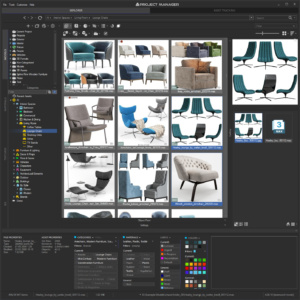 Project Manager 1 × $60.00


Viewing 5 posts
- June 8, 2026 at 18:54 #47144
- Automatic categorisation of 3D models — no more manual tagging
- Dedicated AI Classifier engine runs in the background with GPU acceleration
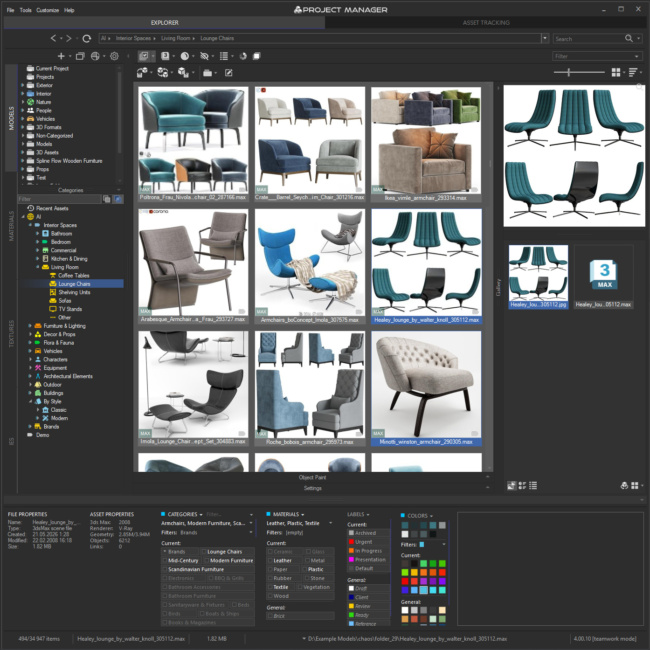
- Classification by object type (chair, sofa, lamp...), material composition (glass, wood, metal...), style, and brand
- Brand and style recognition for furniture — classical, contemporary, and everything in between
- 3D Models get tagged by material type automatically
- AI-assigned categories are clearly distinguished from your manual ones, so you always know what came from where
- Full control over results: review, reassign, or remove any AI suggestion you disagree with — the AI proposes, you decide
- Reclassify specific folders or categories on demand — no need to reprocess your entire library when you want to update just one section
- Runs entirely on your machine — your assets never leave your computer
- Scale across your team: point multiple workstations at the same database and they'll classify in parallel, each picking up its own share of the queue
- Designed to stay out of your way — runs in the background at low priority, so it won't interfere with rendering or active work
- Pause classification anytime, from one hour up to five — perfect when you need every bit of GPU for a render
- Choose which GPU does the work, or fall back to CPU if you prefer
- Colour analysis for both 3D model previews and textures
- Find assets by colour — pick any colours from a palette and instantly see matching models or textures
- Colour similarity search that understands perceptual colour
- "Find similar by colour" available in the asset menu — locate visually related models or textures across your library
- Visual colour swatches in the filter row show your active colour filters at a glance
- Built-in status system for your assets — tag models and textures with workflow states like Draft, Approved, In Review, Archived, or Urgent
- Perfect for team collaboration: artists can mark work in progress, leads can flag approved assets, and everyone sees the same status at a glance
- Filter and search by colour label — instantly pull up everything that's "In Review" or hide archived assets from your daily view
- Use any colour and label text you like — set up a system that matches your studio's existing workflow
- Find similar by content — pick any 3D model and instantly find others that match its style, shape, and overall look, powered by AI visual analysis
- Find similar by colour palette — pick any image or texture, and Project Manager analyses its full set of dominant colours and their proportions to find other assets with a matching colour profile. Brilliant for finding textures that fit a specific reference photo or mood board
- Both available right from the asset's right-click menu
- Multi-keyword search returns more relevant results: searching "Chair, Glass" now finds a file named "Chair.max" described as "glass" — not only files containing both words literally
- Full-path category search: find every subcategory under a brand or style in a single query
- Instant feedback — every filter tick, keyword, and colour pick updates the view immediately, so you can explore your library by feel rather than by query
- Completely rebuilt panels for Categories, Materials, Colour Labels, and Colours
- Each panel shows three contextual sections: what's in your current selection, what filters are active, and what's available across your library
- Active filters stay visible even when you navigate to folders where those categories aren't present — no more "lost filter" confusion
- OR / AND filtering modes when combining multiple categories — match any of them or require all of them
- Filter by category directly from the category tree via right-click menu
- Category filter correctly includes subcategories — filtering "Furniture" also finds items in "Furniture → Chairs → Dining"
- Combine category and material filters to narrow down precisely: find glass-and-metal tables, or wooden ones, in one click
- Filter furniture by brand and style — classical, contemporary, industrial, and so on
- "Categorised" / "Uncategorised" quick filters — instantly see which assets still need attention
- Per-category control over subfolder visibility — show files from subfolders only for the categories where it makes sense
- Three gallery tabs for .max files — Models (linked previews), Materials (the scene's material tree), and External Links (every texture and asset the scene references)
- Drag materials straight from the gallery into your open 3ds Max scene — no need to open the source file first
- Edit external links right in the gallery — fix or replace missing textures and asset references without opening the .max file
- 3D viewport preview for FBX, 3DS, OBJ, and other 3D formats right in the gallery — inspect geometry before importing
- Materials gallery for material libraries — browse linked previews, the material tree, and every texture used by each material; edit external links inline
- Zoom & Pan for images — inspect textures and reference images at full resolution without leaving Project Manager
- Use any image format as a preview — WebP, EXR, HDR, and more all work as custom thumbnails
- Perfect for studios: run v4 on one artist's workstation while the rest of the team stays on v3, then migrate when you're ready
- Upgrade at your own pace — v3 and v4 share the same database format, so your library works with both versions simultaneously
- No library rebuild required: point v4 at your existing v3 database and you're ready to go
- License compatibility across versions — use v3 with 3ds Max 2026 and v4 with 3ds Max 2027 on the same license on one computer
- Broad 3ds Max coverage: supported from 2016 all the way through 2027
- Everything you relied on in v3 is still here — v4 adds on top, it doesn't take away
- Full support for 3ds Max 2027
- Significantly improved UI responsiveness — reduced flickering, faster scrolling, and snappier list updates across the board
- Dramatically faster file and folder deletion — operations that used to take minutes on large libraries now finish in seconds
- Live sync in shared database mode — files added or deleted by a colleague now appear automatically, without reloading the folder
- Smart memory management for AI Classifier — the CLIP model unloads from RAM when idle and reloads instantly when needed
- Windows installer that integrates with Autodesk's standard ApplicationPlugins folder
- Place Objects: original orientation of objects is now always preserved when painting onto surfaces
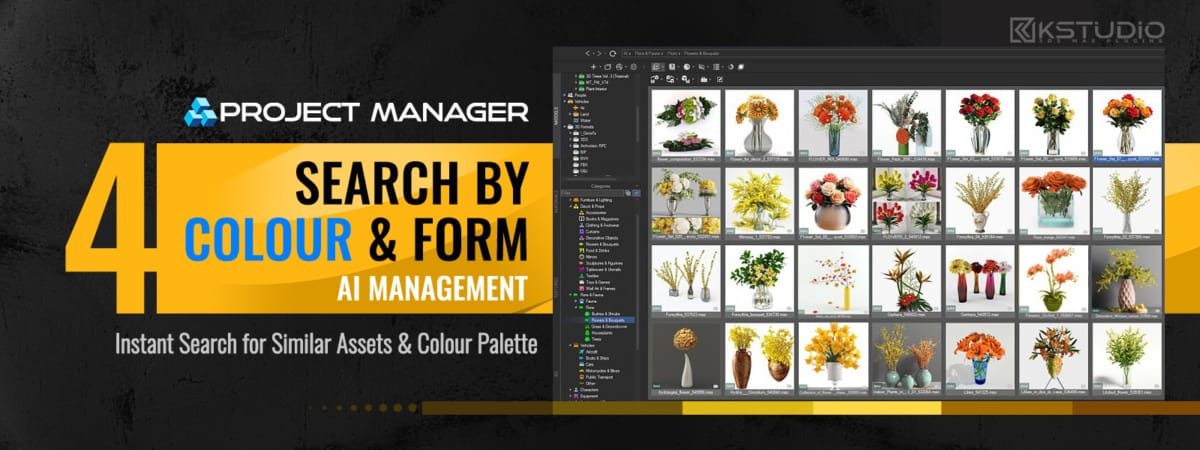
Project Manager 4 automatically analyses thousands of your models and textures, sorts your models onto virtual shelves, and lets you search the way you actually think — models by visual similarity, and both models and textures by colour.
No manual tagging, no endless folder digging: the library puts itself in order, and you simply find what you need.What makes it work in practice:
Runs entirely on your machine. All analysis and classification happen locally — no cloud, no uploads, no subscription. Your assets never leave your computer, and there’s nothing to wait on but your own hardware.
Built for speed. Classification is fast enough to handle large libraries without turning into an overnight job, and once it’s done, finding an asset takes seconds instead of minutes of scrolling.
Ready from day one. Point it at your existing assets, and it gets to work — no reorganising, no preparation, no change to how you store your files.
Less routine, faster access to what you need, and a library that finally keeps up with you.
Read the full announcement here: The Asset Library That Organises Itself
$60.00Add to Cart
Below, you can find the full list of changes and enhancements for this version
New Features for Project ManagerView Product
AI-Powered Asset Classification
Colour Tools
Colour Labels — Team Workflow
Smarter Search
Find Similar — Two Ways to Match Assets
Search
Redesigned Status Bar
Category & Material Filtering
Gallery & 3D File Browsing
Seamless Migration & Gradual Rollout
3ds Max 2027
Other Improvements & Fixes
Read about the Latest Version
Related to "Project Manager 4 — AI asset classification is here"
- June 15, 2026 at 19:16 #47294
 Dmytro AvramenkoParticipantPosts: 0Threads: 2Joined: Dec 2018
Добрий день, дякую за версію з AI!
Не можу розібратися, як користуватися пошуком за кольором? У вас написано, що можна задавати колір через color palette для пошуку. Як це зробити?
- June 15, 2026 at 20:13 #47296
 Oleksandr KramerModeratorPosts: 269Threads: 1412Joined: Aug 2009
Радий що вам сподобалось. Далі відповім для всіх, англійською
Before colour search will return useful results, please give the AI Classifier some time to scan your files — at least part of your library needs to be processed first.
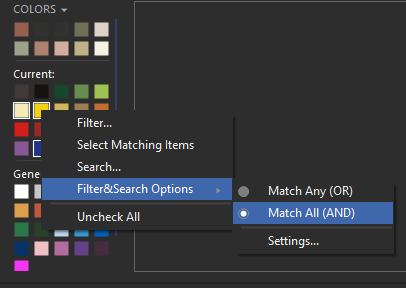
Quick tip: pick a colour, right-click it, and run the search.
In a bit more detail — there are several ways to search:
You can search or filter by a single colour or by several colours at once. Select the colours (or just click the one you want) and choose Search or Filter from the menu.
There are three colour groups available:
1. General (lower section) — a fixed set of common colours, always the same across all folders.
2. Current — colours sampled from the files currently in the list (including filtered (hidden) ones).
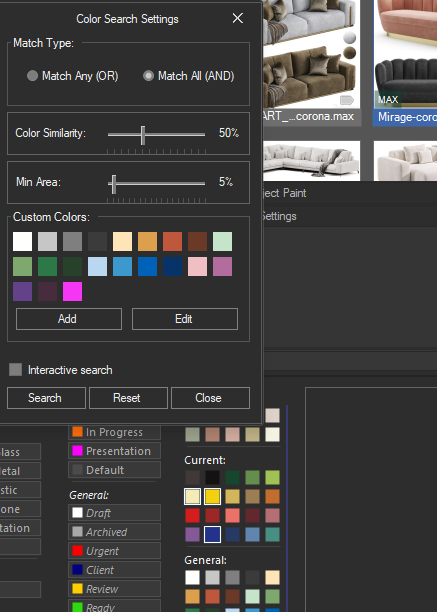
3. If a file is selected, its dominant colours are shown at the top.Pick any of the colours shown, or open the search panel and define a specific colour to search by.
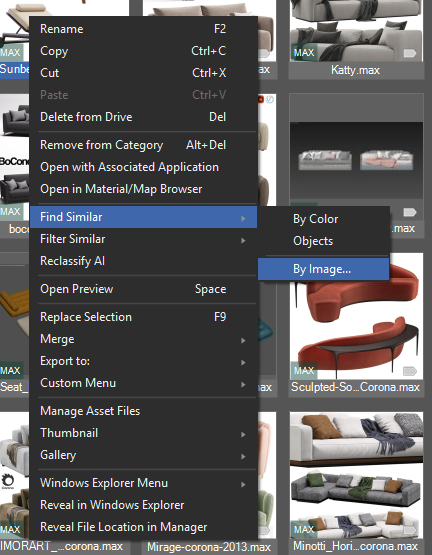
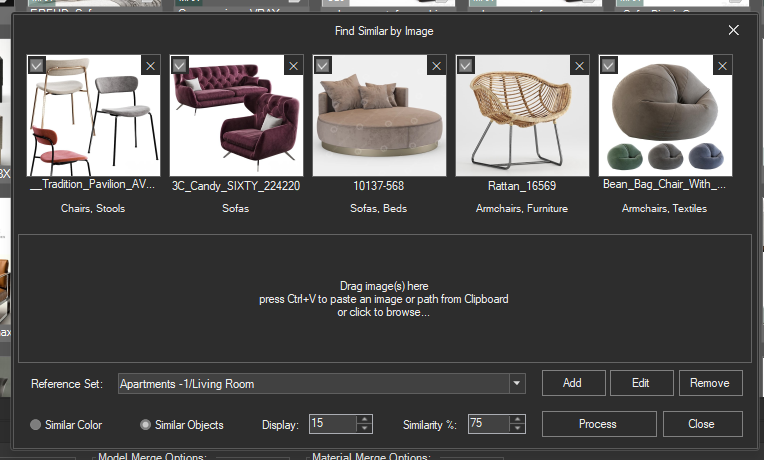
You can also select up to 5 files and search for textures/models with similar colours.
Alternatively, you can supply one or more reference images, and Project Manager will find files with similar colours (available in version 4.00.43).
- June 15, 2026 at 22:05 #47298Dmytro AvramenkoParticipantPosts: 0Threads: 2Joined: Dec 2018
Thanks for your answer.
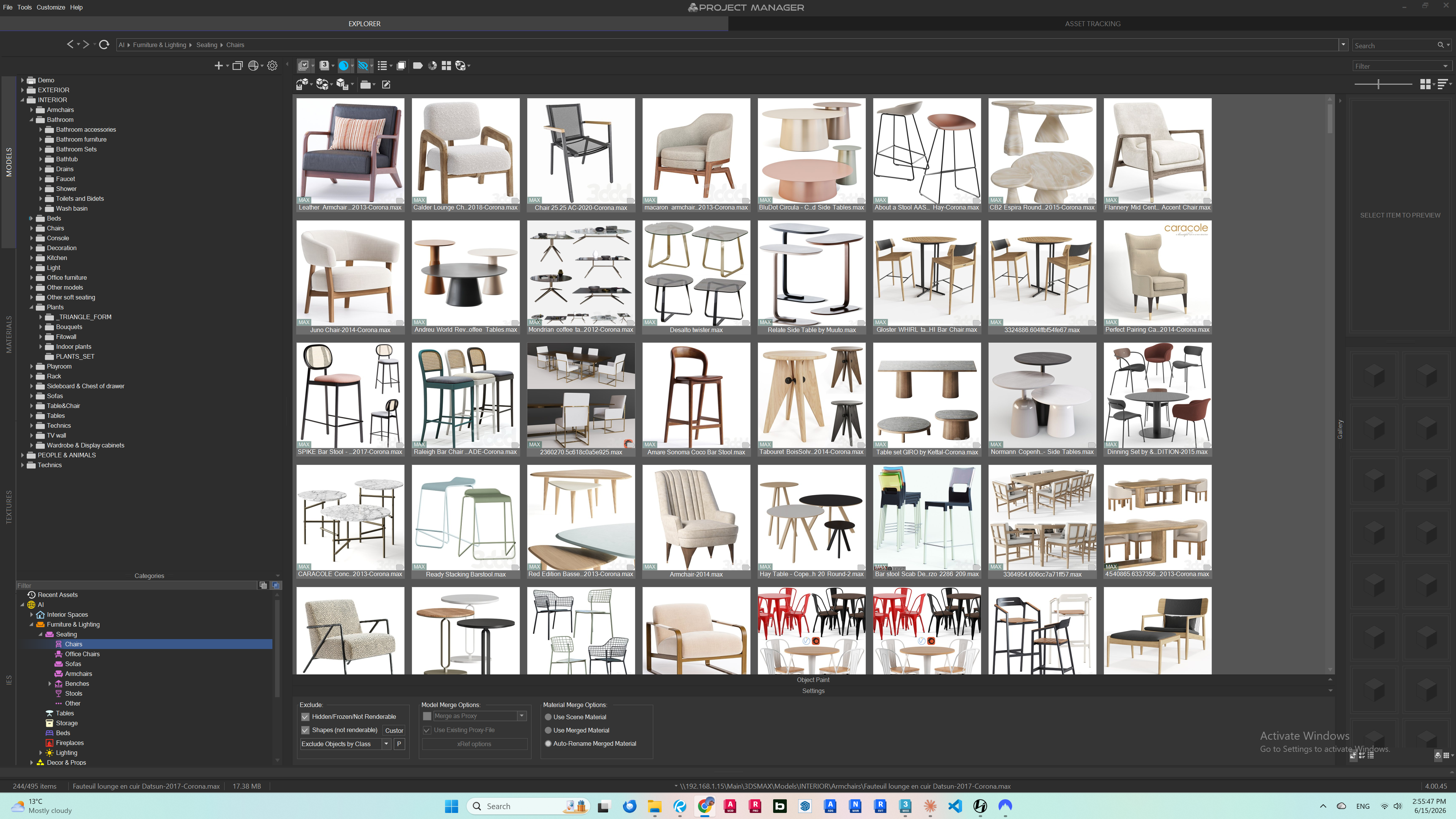
But I guess on my end the problem is that my UI does not show the Color Palette and many other stuff in Settings section. Please find the attached screenshot:
- June 15, 2026 at 22:31 #47299Oleksandr KramerModeratorPosts: 269Threads: 1412Joined: Aug 2009
The bottom panel is simply collapsed all the way down.
Just drag its top edge upwards to expand it, and the Colour palette along with the other sections will appear.

Viewing 5 posts
You must be logged in to reply to this topic.

