Translate


- August 12, 2009 at 01:06 #118
 Oleksandr KramerModeratorPosts: 269Threads: 1413Joined: Aug 2009
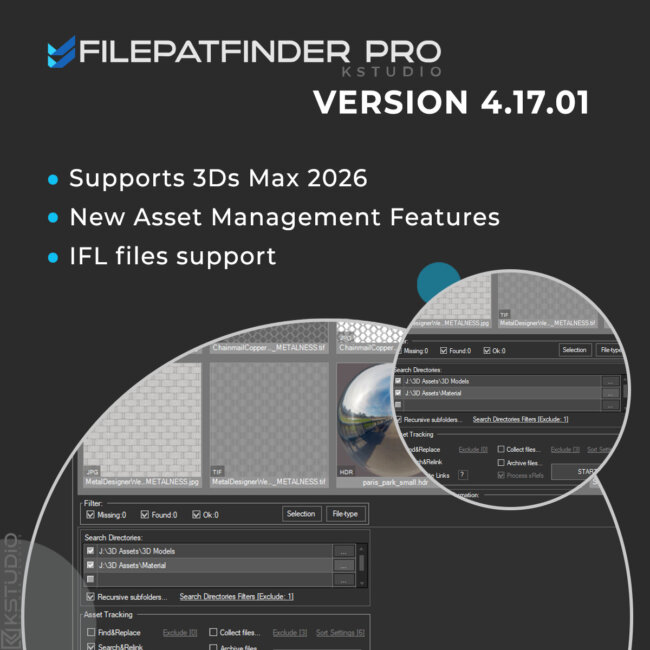
FilePathFinder Pro v.4.17.01
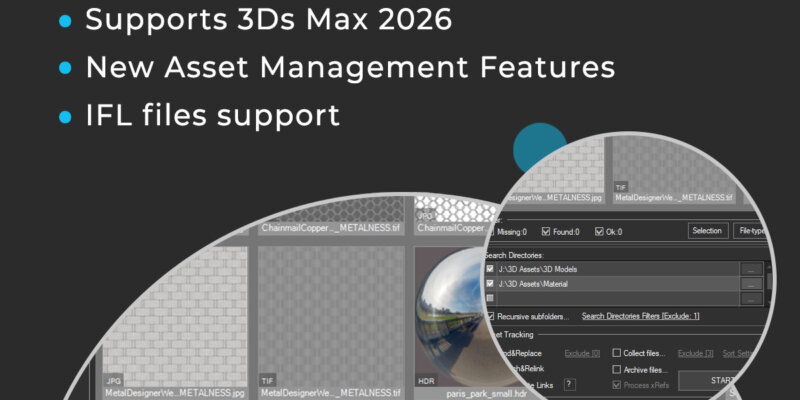
May 8, 2025- Adds support to 3Ds Max 2026
- Play IFL, and animated GIFs directly in the list view
- Play IFL and animated GIFs in the external Asset Viewer
- Adds support to search/relink/collect/archive the content of IFL files
- Enhanced File Relocate Capability
- Adds Ability to Sort Assets by Asset Type/Extension
- Adds Ability to Include/Exclude Files from Renaming by Extension
- Adds Ability to Include/Exclude Files from Collecting by Extension
- “Duplicate Asset Replacement” Dialog UI Improvements
- Adds Ability to Include/Exclude Directories from Searching by mask
- Ability to change selected assets directly from the Asset Viewer using keyboard shortcuts
- Adds an ability to include/exclude search directories by filename
- Adds support to archives larger than 4GB
- Adds buttons to the panel on the Asset Tracking tab: “Show/Hide Map in Viewport,” “Mass Rename Items,” and “Mass Convert Images”
- Adds an ability to set different width/height for rendering preview thumbnails for models and materials
- Adds an ability to turn off/on lights from model scenes on rendering preview thumbnails
- Show more accurate information about missing files in the status bar
- More accurate material/texture placement in SME
- Drops support to light theme
- Drops support to 3ds Max 2014 and 2015
- Drop support to rendering preview for IES files ( interactive rendering already supports IES)
- Fixes an issue with including/excluding search directories by filename
- Fixes an issue with searching, relinking, collecting, and archiving the content of IFL files
- Fixes an issue with relink assets in batch mode for Demo version
- Fixes an issue with renaming external scene links with status #Found
- Fixes some issues with relink assets using exclude directories
- Fixes a bug with relinking assets in huge scenes
- Fixes a bug when using the tool together with Materials Manager and Models Manager
- Fixes a bug with rendering preview
- Fixes a bug when collecting maps for several materials libraries
- Fixes an bug with crashing on interactive rendering Substance Shaders
- Fixes a bug that occurred on some computers during asset relinking
- Fixes an issue with converting some images to greyscale
- Fixes an issue with converting some images to other formats
- Fixes an issue with converting some images to greyscale
- Fixes an issue with converting some images to other formats
- Fixes some minor issues with relink material libraries
- Fixes an issue with network relative paths
- Fixes an issue with installation on some systems
- Fixes a minor issue with searching assets on relink
- Fixes an issue with rendering preview for scenes, that contain hidden layers
- Fixes some minor issues with renaming multiple and single assets
- Fixes an issue with rendering preview for some models without studio scene
- Fixes some issues with HiDPI screens with some specific scale factors
- Fixes an issue with storing some settings on relinking
- Fixes an issue with rendering preview for files with missing assets using VRay with some specific settings
- Some other optimizations, fixes and speed improvements
FilePathFinder Pro v.4.00.83
August 19, 2022- Extremely speeds-up collect files on batch relink
- Fixes some minor issues with the Converting Images tool
- Fixes a bug with opening the plugin on scenes that contained Anima objects
- Fixes an issue with applying an activation key
FilePathFinder Pro v.4.00.76
January 25, 2022- Adds support to batch archive 3ds MAX files and Material libraries with assets
- Adds support to paths longer than 256 characters
- Adds an ability to convert images to TX format
- Some optimizations and speed improvements
- Fixes an issue with renaming links on xRef scenes using Advanced Asset Renamer
- Fixes a bug on relinking and collecting assets
- Fixes an issue with relinking paths longer than 256 characters
- Fixes an issue with refreshing assets after relink in version 4.00.26
- Allows to setup desired view for studios without camera
- Fixes an issue with relinking OSLMap
- Fixes an issue with slow opening right-menu in some scenes
- Fixes a bug setting path for links contained illegal characters
FilePathFinder Pro v.4.00.00
June 1, 2021- Adds support to 3ds Max 2022
- Adds an ability to convert and resize images
- Ability to mass-rename links ( menu Tools => Mass Rename Tool )
- Adds the “Fast mode” for relinking 3ds Max files and material libraries in the batch mode
- Adds an ability to Find & Replace part of paths in batch mode
- Adds an ability to specify output filename on rendering previews for models
- Setup multiple custom studios for rendering 3d models and material libraries
- Adds an ability to specify pivot point on rendering preview for models
- Adds a new BatchModes to ‘Batch Render&Relink’ API – #RelinkPreSave, #RelinkPostSave. See an example in file “presetsAPI examplesBatch Script Example.ms”
Batch Render&Relink
FilePathFinder Pro v.3.80.03
April 14, 2021- Adds support to IES interactive rendering
- Fixes an issue with removing atmospherics on rendering previews
- Fixes an issue with isolated nodes when rendering previews
- Fixes an issue when monitor screen DPI uses a scale of more than 100%
- Fixes an issue with rendering some scenes with Corona 6
FilePathFinder Pro v.3.78.01
February 17, 2020- Adds support to ArchVision RPC. Display native preview.
- Adds support to “.MC” files in Point Cache modifier
- Adds an ability to rendering previews using Corona Frame Buffer.
- Drops support to 3ds Max 2013
- The methods of generation preview for Substance and additional 3ds Max image formats (such as vrimg and etc.) was rewritten.
- Move plugin to directory and category “Kstudio”
- Fixes a bug with relinking scenes that contain IES files using Batch Render&Relink tool
- Fixes an issue with correct display the maximized plugin window on some monitors
- Fixes an issue with ability to refresh the listview using the F5 key
- Fixes some minor issues with interface
- Fixes an bug with Asset Management scenes which contains Containers
- Fixes other minor issues and performance improvements
FilePathFinder Pro v.3.77.00
April 15, 2019- Adds support to 3ds Max 2020.
- Speeds up the relinking of asset files for complex scenes up to 5 times.
- The option “Remove unused materials” now supports the Slate Material Editor.
- Fixes some minor issues with renaming items in the listview.
- Fixes some minor issues with comparing external files with same name but different content
- Fixes an issue with annoying message of Archvision RPC plugin at start
- Fixes an issue with selecting Vray Proxies by file-name.
FilePathFinder Pro v.3.76.14
July 19, 2018- Speeds up the relinking of asset files approximately in 7 times!
- Adds support to 3ds Max 2019
- Display progress bar when Copy and Relink assets
- Adds an ability to rename Asset link + file on Hdd in more simple way – using menu-item or shortcut (SHIFT+F2)
- Simplifying Deployment. New capability for installation plugin and creation the identification files in silent mode.
- Fixes a minor issue with relinking background images
- Fixes a bug with crashing the plugin in scenes which contains VRayOSLTex and VRayGLSLTex textureMaps
- Fixes an issue with generating preview for some .PSD files.
- Fixes a potential issue with generating bug-reports.
- Fixes some another minor issues.
- Fixes some potential issues with compatibility with other 3ds Max plugins.
- Fixes some another minor issues.
- Fixes some minor interface issues
- Fixes an issue with flickering toolTips in Windows 7
New Features & Fixes for tool Batch Render&Relink
- Adds capability to render in batch mode using Maxwell Renderer
- More accuracy find compatible renderer by material
- Fixes an issue with using Vray Frame Buffer for rendering thumbnails in Vray Next.
- Uses real World and mapChannel settings from materials when rendering preview for materials. ( Available only with default material’s studio)
- Fixes a bug with rendering some 3d models.
- Fixes a bug when rendering preview works very slowly when Vray material contains displacement
- Fixes a logical mistake in using variables “FilePath” and “FileName” in “Batch Render&Relink” tool
FilePathFinder Pro v.3.75.35
February 19, 2018- Native preview for Final Render proxy files (.fpx )
- Now asset files refreshes automatically after changing link to xRefs
- Speeds up resolve, strip and change the links to asset files
- Now .ifl files are copied properly when user collect asset files or make an archive
- Adds an ability to rendering previews using Vray Frame Buffer ( available for Vray 3.20.02 and above )
- Fixes an issue with set custom view for rendering previews defined into drop-down “View”
- New default render-presets. Adds default presets to Final Render, Octane, Redshift, Fstorm and Arnold renderers
- Adds an option “Fit to Dummy” to render setting
- More accurate fitting of objects to the view when rendering
- Changes for API: The ‘PostScriptInfo’ is deprecated. For details see a file “BatchRendering Script Example.ms” in ‘presets’ directory
- Fixes some issues with archiving a scene
- Fixes an issue with disabling and removing xRef objects
- Fixes a bug in FStorm Render when 3Ds Max crashed on trying to access Bitmap FStorm properties
- Fixes a minor issue with renaming asset links
- Fixes a minor issue with removing some links from scene ( menu-item “Remove Link From Scene” )
- Fixes an issue with very slow relinking of materials in Corona 1.7
- Fixes an issue with display some image files in the listview when running different Kstudio’s plugins at same time
- Fixes an issue with renaming external files with status #Found on HDD using the “Specify Asset Path” dialog
- Fixes an issue with using a full and demo version of different Kstudio’s plugins at same time
- Fixes a compatibility with plugins which use a old version of NLog library
- Fixes a bug when in some situations window not drawn properly
- Fixes the issue with rendering preview when using the custom studio with VRayPhysical camera
- Fixes the issue with opening VrMat files with #Found status
- Fixes the bug with crashing the 3Ds Max when user try remove some links from scene
- Fixes the rare bug what can occurs on closing the plugin
- Fixes an issue with redrawing some items after changing the thumbnails size for listview
- Fixes a bug with crashing the 3Ds Max if studio doesn’t contain the ‘SceneDummy’ object
- Fixes an issue with scaling objects on rendering a preview when an option “Fit view to nodes” turned off
- Fixes an issue for ‘Batch Render&Relink’ version 1.60.21 with fitting a camera view to nodes when camera has invalid target.
- Fixes the issue with rendering preview for .BIP and .BVH files.
- Fixes the issue with found compatible renderer for some materials.
- Fixes some minor issues with rendering previews.
- Fixes an issue with using the render settings from scene/studio in batch mode.
- Supports only to x64-bit system
FilePathFinder Pro v.3.70.19
June 27, 2017- Redesign the interface.
- Increase the size of thumbnails up to 512px.
- Adds support to different screen dpi settings.
- Adds an ability to display thumbnails for 3ds Max scenes saved in 3ds Max 2017.
- Updates for Unique Asset Tracking System what allows to working with assets which unsupported by default 3Ds Max Asset Tracking System.
- Fixes the bug with crash of 3Ds max when Corona interactive rendering is active.
- Fixed a bug when working with Assets whose name begins with the symbol “$” ( Error message: “$directory not recognized”).
- Fixes a bug with asset files when path contains invalid characters.
- Fixes a bug when viewport displays a scene in black when use a Nitrous Direct3D Display Driver.
- Adds the ability to rendering previews for models using all cameras present in rendered scene..
- New option “Fit view to nodes” – to disable/enable fitting view to objects in rendered scene. .
- New method for API: PostScriptInfo.FitCameraFov. .*
- Adds a new property to ‘Batch Render&Relink’ API – BatchMode (return the string Unknown, BeforeRender, Render, Relink, Test). *
- Fixes an issues with rendering previews: now studio scaled to nodes instead previously used method for scaling nodes for fitting to studio. .
- Fixes an issue with stopping batch mode with message dialog about read-only files.
- Fixes a minor issue with rendering models using the Batch Render&Relink.
- Adds an ability to rendering preview for materials used in .vrmat files.
- Fixes a bug with relinking Material Library files using the Batch Render&Relink tool.
FilePathFinder Pro v.3.55.00
May 12, 2016- Updates the studio for rendering previews for materials.
- Adds an ability for select items by typing them names on the keyboard.
- Zoom to a map/material after placing it into the Slate Material (3ds Max 2014 and above).
- Fixes a potential bug with tracking asset files in 3ds Max 2010.
- Fixes an issue with tracking assets for files opened from the 3ds Max ‘Start-up Template’ dialog.
- Fixed a bug with updating what occurs on some computers.
- Fixed a minor issue with sorting items in the listview.
- Fixed an issue with showing thumbnails in the ‘Confirm replace’ dialog.
- Fixed an issue with clearing items in listView after closing the ‘Preferences’ dialog.
FilePathFinder Pro v.3.54.00
March 21, 2016- Fixed a bug what occurs on some computers when opening the ‘Folder Browser’ dialog.
- Fixed a bug with rendering preview for 3d models in the 3dsMax 2016 when using custom studio scene.
- Fixed a bug in the ‘Confirm replace’ dialog.
- Fixed some other issues.
FilePathFinder Pro v.3.53.00
January 9, 2016- Add support to Octane renderer version 2.XX
- Fixed a bug in the Demo version when a customer try search the asset files.
- Fixed issues with creating and relinking a Maxwell lights.
- Fixed a minor issue with updating.
- Fixed other some minor issues.
FilePathFinder Pro v.3.52.00
August 3, 2015- Adds the ability to archiving a 3ds Max scene. (menu “Tools”=>”Archive scene”)
- Fixed a bug with using the plugin with ‘Models Manager’ and ‘Materials Manager’.
FilePathFinder Pro v.3.51.01
July 2, 2015- Fixed a bug with “Translate Paths …” with option “Include output paths”.
- Fixed a bug with relinking asset files with option “Rename File on Hard Drive”.
- Fixed a minor issue with relinking.
- Fixes some minor interface issues.
FilePathFinder Pro v.3.50.24
June 15, 2015- Fixed the issue with keeping the settings of the Target Lights after relinking the ies file.
- Fixed the bug after using the “Reset Settings” option.
- Fixed a some minor issues with updating the plugin.
- Fixed a some minor issues with setting the directory for searching for ‘Batch Render&Relink’ tool.
- Fixed a some minor issues with interface in the ‘Batch Render&Relink’ tool.
- Fixed an issue with winApi what occurs on some computers
- Adds ability to set intensity multiplier for rendering of the IES files.
- Fixes the issue with starting on the x32 system.
- Fixes some issues with generating the preview for HDR, EXR and PSD files.
- Fixes a potential issues with translating a paths to local\network.
FilePathFinder Pro v.3.50.02
March 30, 2015- Increase the size of thumbnails up to 256px
- Adds the support to Corona renderer
- Adds the support to Octane renderer
- Adds support to Maxwell renderer:
- Search\Collect\Relink for Maxwell Proxy
- Search\Collect\Relink for Maxwell MxLight
- Search\Collect\Relink for Maxwell MxMesher
- Search\Collect\Relink for Maxwell MxParticles
- Search\Collect\Relink for Maxwell MxVolumetric
- Search\Collect\Relink for Maxwell Materials and Maps
- Add the ability to render the preview as .png with alpha channel.
- Fixed the some issues and bugs when the system use the text with size greater than 100%.
- Fixed the issue with hiding the Vray VFB window.
- Fixed the bug with locking the 3ds max hotkeys after opening some menus.
Note:
This version is required the new license-key.
The update is free!
Please send a request for update from dashboard.FilePathFinder Pro v.3.12.68
September 8, 2013- Fixed a bug with rendering preview for 3d models
- Fixed a some issues with gamma when rendering the thumbnails
- Fixed a bug with black output when rendering the thumnails for materials with Vray frame buffer
- Fixed a bug with generating the identification file on some computers
- Fixed some minor issues for folder-browser dialog
- Fixed some minor issues with interface
FilePathFinder Pro v.3.10.41
July 29, 2013- Bug fixes:
- Fixed a bug with Browse dialog when user have installed AutoCad 2014
- Fixed a bug with relinking assets in the BatchRender&Relink
- Fixed some minor issues with interface.
FilePathFinder PRO v.3.9.60
April 16, 2013- New features:
- Adds support to renderer Octane – working with asset files.
- Adds support to renderer Octane – rendering previews.
- Bug fixes:
- Fixes issue with blocking 3ds max hotkeys after opening menu “File”.
- Fixes issue with setting a default renderer in Batch Render&Relink.
- Fixes issue with applying render-preset in Batch Render&Relink.
FilePathFinder PRO v.3.9.15
April 6, 2012- New features:
- Adds ability to reorder Search directories with drag&drop.
- Adds ability to set Default Renderer for Batch Rendering.
- Modified features:
- Display xRefs in tree mode.
- Merge materials for xRef Objects.
- Now you can add Custom Dependencies with drag&drop.
FilePathFinder PRO v.3.6.16
- Bug fixes:
- Fixes a bug with rendering of 3d models.
- Fixes a bug with starting the “FilePathFinder PRO” on some computers.
FilePathFinder PRO v.3.6.12
December 23, 2011- New features:
- Displaying embedded to 3ds max files thumbnails.
- Adds ability to use custom studio for rendering the 3d models and materials.
- Adds ability to includeexclude models by extension to batch rendering
(by default is it 3ds Max,VrayProxy, Mental Proxy, 3ds, obj). - Bug fixes:
- Fixes a issue with flipping the thumbnails for max and video files.
FilePathFinder PRO v.3.6.02
- New features:
- Some changes for Preferences dialog.
- Modified features:
- The new improved system of search for asset files.
- Bug fixes:
- Fixes some minor issues for batch render.
FilePathFinder PRO v.3.5.45
- Fixes issue with hide/freeze Command Panel after relink&collect the asset files.
FilePathFinder PRO v.3.5.40
May 6, 2011- Adds support to 3ds Max 2012.
- Adds support to Substance Textures.
- Adds ability to render thumbnails for 3ds, fbx, obj, vrmesh(Vray Proxy), mib(Mental Ray Proxy) files.
- Some changes for Dark theme interface.
- Fixes issues with memory leaking with render thumbnails.
- Fixes some minor issues with utility “Batch Render&Relink”
- Fixes issues with loading render-preset files for render thumbnails.
- Fixes issues with autosearching asset files for render thumbnails.
FilePathFinder PRO v.3.5.31
March 23, 2011- Now a batch render and search , collect and relink the files in batch mode is done via the utility “Batch Render&Relink”.
- You can change the paths in xRef-files without opening the file (available for max 2010 and above)
- Adds the ability to translate path to local or network, including the output files.
- Dark theme.
- Fixes a bug with render thumbnails for 3ds max 2010&2011.
- Fixes a bug for 3ds max 2011 when working with Slate Material Editor.
Note:
- 3ds max 9 now no more supported.
This update requires a new license key.(update is free)FilePathFinder PRO v3.3.40
- Increase speed of loading thumbnails.
- Fixes issues with relinking V-Ray environment maps.
- Fixes issue occurs on some computers when running utility.
FilePathFinder PRO v3.2.70
- The Utility “Render Thumbnail” is Updated.
- Adds the ability to render all materials and textures in the Material Library.
- Adds the ability to specify size for thumbnails rendering.
- Adds the ability to use for models rendering the renderer settings from the scene.
- Adds the ability to use for models rendering active viewport.
- Adds the ability to specify custom view for models rendering .
- Fixes the issues for auto detection compatible render-preset for Models Materials and Material Libraries.
- Now with the utility supplied three render-presets(For Scanline, Mental Ray and Vray), but if you use a different renderer, you can add your own render-preset.
FilePathFinder PRO v3.2.68
- Fixes issues with Removing Links
FilepathFinder PRO v3.2.64
- Fixes issues with cancel dialog for 3ds Max 2011 when run collect asset files.
- Fixed issues with cancelling Collect Files operation.
FilepathFinder PRO v3.2.61
- Fixes some issues with working in not saved 3ds Max file
- Fixed a bug with Vray SP5 and above where in the list of texture files were shown Render Output Files
FilepathFinder PRO v3.2.55
- Fixes a bug at collection the files in version 3.2.53
- Fixes the issues with collection the files without extensions
- Adds the ability to check for Updates at Startup the utility
FilepathFinder PRO v3.2.53
- Fixes a bug at frequent the opening/closing FilePathFinder
FilepathFinder PRO v3.2.50
- Adds ability to auto fix Texture paths for new merged objects on fly (if possible and needed)
- Adds “Post-Open Script” Section in Batch Mode
- Adds hotkey for removing links from scene by Delete-key
- Fixes some issues with Replacing Objects
- Fixes some other minor issues
FilepathFinder PRO v3.2.33
- Adds support for Max 9SP2 (32-bit and 64-bit)
FilepathFinder PRO v3.2.28
- Adds support for Max 2008 (32-bit and 64-bit)
- Adds ability to change path for cache files
- Some Interface changes
- Fixes some issues with creating new materials in Max 2011
- Fixes some minor issues
FilePathFinder PRO v3.2.16
- Fixes some issues with collecting preview thumbnails
- Fixes a problem due to a bug in Max 2011 with decimal divider
FilepathFinder v 3.2.12
- Adds compatibility to Slate Material Editor
- Adds helper tool for placing objects
- Adds ability for standard method of drag&drop the files with Shift-key
- Adds ability to rotate objects clockwise with Control-key and counter clockwise with Alt-key
- Adds ability to render preview for 3ds max scenes with “Render Preview” tool
- Adds ability to search, relink and collect files included to the Material Library files
- Adds ability to collect preview thumbnails with source files
- Adds ability to remove maps by links from scene
- Fixes bug for 3ds max 2010 and 2011 versions that arising because of wrong preservation the Custom Dependets Files in these versions of 3ds Max
- Fixes some issues with dragging material libraries onto objects and into the Material Editor
- Fixes some issues in 3dsMax 2011 with dragging objects onto viewport
- Fixes issues when user has installed egzMaterials
- Fixes issues with the correct designation the texture size when using different System Units and Display Units
FilePathFinder Pro v3.1.40
- Adds ability to easy drag several 3d models into the scene
- New convenient methods of merging and placing the objects in the scene
- Adds ability for adding files to list by drag&drop method
FilePathFinder Pro v3.1.32
- Sped up loading of thumbnails
- Adds ability to collecting files included in IFL
- Changed the location of the button “Add Files to Project”
FilepathFinder v 3.1.27
- Adds ability to drag files of materials (“.mat”) on objects in viewport and into the Material Editor
- Adds filter for Images and Not-Images Files
- Fixes issues with speed for Showing Files in List with filter
- Fixes issue occurs on some computers when running utility
FilepathFinder v 3.1.15
- DotNet interface
- Image preview list
- Image preview for Mental Ray Proxy, Vray Proxy, Ies,Material and xRef (if to them exist preview image)
- 3 modes to display files – Details, Details with Thumbnails and Thumbnails
- New methods of collection of files – via clipboard and drag&drop method
- Ability to add bitmap files, proxy, Ies, materials and other files to the project
- Ability to create new materials
- Creating Multimaterial with dragging of several images
- Texturing of objects and subobjects
- Ability to change setting for texture before or after the creating of material
- New Render Preview Tool
- Fixes issues with retargeting of Custom Dependents in Asset Tracking
- Object selection has been accelerated (up to 100 times!)
- “Transparent” demo-version
FilepathFinder v2.5.40
- Adds “Show in Viewport” function
- Adds shortcut “Resolve All Files with Status #Found” by F3-key
- Adds shortcut “Set Path” by F6-key
- Adds dynamic displaying in the list “External Files” at input of a mask of a required file in the field “Find”
- Fixes issues with conteiner files in 3ds Max 2010 without “Deep Relink” function
FilepathFinder v2.5.08
- Fixes issues with retarget files speed
- Fixes issues with “Image view” mode
FilepathFinder v2.5.00
- Adds “Batch Mode” for external files over many Max files correction
- Adds an ability to collect external files from many Max files with the “Batch Mode”
- In “Batch Mode” User can:
- -To collect files into the same with the Max file folder
- -To collect external files into the Max file subfolder
- -To collect external files into one folder
- -To collect external files into subfolder named as Max file
- Fixes some interface issues
- Fixes some issues with the demo version
FilepathFinder v2.4.58
- Removes some restrictions from the demo version.
- Fixes issues with the updating of external files when adding xRef and when “Refresh at Start” is off.
- Adds ability to work with unsaved max file.
FilepathFinder v2.4.54
- Correction for copying the animated MentalRay Proxy files.
- Now preview are copied together with MentalRay Proxy files.
FilepathFinder v2.4.50
- FilePathFinder settings are now saved when installing new versions.
- Adds shortcut “Edit bitmap” by F4-key
- Adds «Make Report» function.
- *Adds «Deep relink» function.
- *Notes
- By default «Deep Relink» function is off.
- Use «Deep relink» function only if the standard method of the path to your files not relinking.
- This method is somewhat slower.
- If you still have to use «Deep relink» function, please create and send the developer a report about your problem.
FilepathFinder v2.4.25
- Adds “View Files-List by Selection” filter
- Fixes same interface issues
FilepathFinder v2.4.16
- Adds “View Files-List by Filetype” filter
- Adds “Check for Update” function
FilepathFinder v2.3.8
- Selection of objects is accelerated (max selection time 5 sec. Tested on scene with 35 000 objects)
FilepathFinder v2.3.65
- Fixes a finding of textures and a select of objects on textures containing in objects.
- Selection of objects is accelerated
- Rename filename by F2-key (shortcut only)
- Rename filepath + filename by ctrl+F2 (shortcut and menu)
FilepathFinder v2.3.2
- Adds Image Preview for bitmaps
- Fixes Image preview
- Fixes Resize “File Collector” rollout by height
- Adds “Check up files with invalid paths” function for external scene files
FilepathFinder v2.2.4
- Adds “Duplicate compare” dialog for “Copy to” menuitem
- Fix save/restore Selection files in Files-List
FilepathFinder v2.2.0
- Change multiply files in “Browse” menu
- Open selected bitmaps in your editor (set-select for program in submenu)
- Resize “File Collector” rollout by height
FilepathFinder v2.1.0
- Fixes an error when starting in Max 2008
- Adds ‘Place to Material Editor’ function
- Adds full refresh for external scene files by CTRL+Clicking on the ‘Refresh’ button
$27.00Add to Cart
Read about the Latest Version
Related to "FilePathFinder PRO Update History"

You must be logged in to reply to this topic.