Translate



Viewing 1 post
- April 6, 2012 at 22:09 #3921
 Oleksandr KramerModeratorPosts: 269Threads: 1413Joined: Aug 2009
Batch Render&Relink v.2.15.08
April 25, 2024- Batch Asset Tracking:
- Adds support to 3Ds Max 2025
- Adds support to search/relink/collect/archive the content of IFL files
- Adds support to search/relink/collect/archive the content of Vrmat files
- Adds support to archives larger than 4GB
- Enhanced File ReLocate Capability
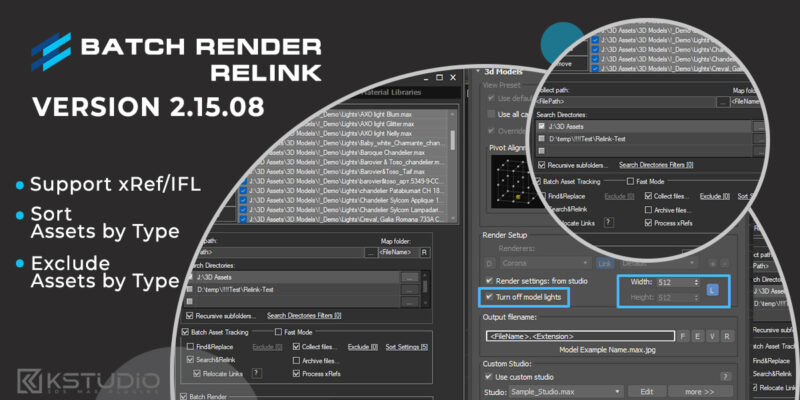
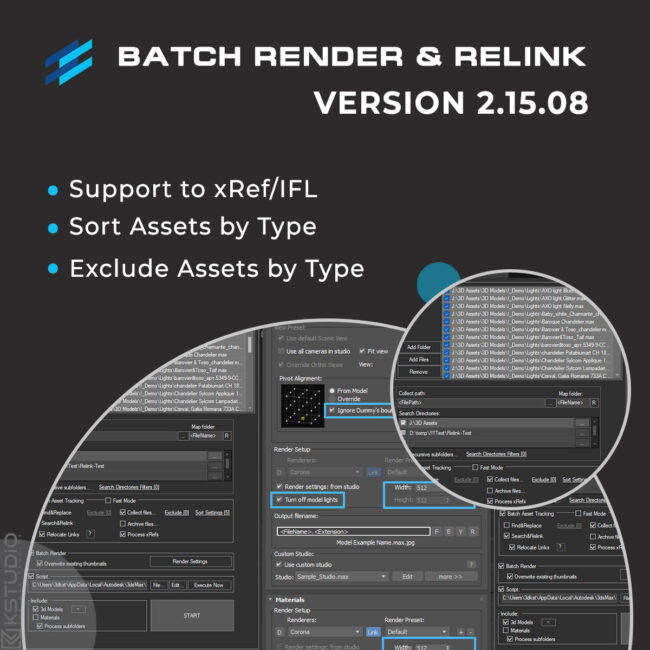
- Adds Ability to Sort Assets by Asset Type/Extension
- Adds Ability to Include/Exclude Files from Collecting by Extension
- Adds Ability to Include/Exclude Files from Renaming by Extension
- Adds Ability to Include/Exclude Directories from Searching by mask
- “Duplicate Asset Replacement” Dialog UI Improvements
- Adds an ability to set different width/height for rendering preview thumbnails for models and materials
- Adds an ability to turn off/on lights from model scenes on rendering preview thumbnails
- Drops support to rendering preview for IES files
- New option to render preview settings – Ignore Fit To Dummy: prioritize the pivot point of the model over its alignment within the Dummy boundary
Rendering Thumbnails:
Batch Render&Relink v.2.00.62
August 20, 2022- Extremely speeds-up collect files
- Fixes an issue with applying an activation key
- Fixes a bug with using in scenes that contained Anima objects
Batch Render&Relink v.2.00.55
January 28, 2022- Adds support to batch archive MAX files and Material libraries with assets
- Adds partially support to paths longer than 256 characters
- Allows to setup desired view for studios without camera
- Adds new API callback – #PreProcess
- Fixes an issue with relinking OSLMap
- Fixes a bug setting path for links contained illegal characters
Batch Render&Relink v.2.00.00
June 1, 2021- Adds support to 3ds Max 2022
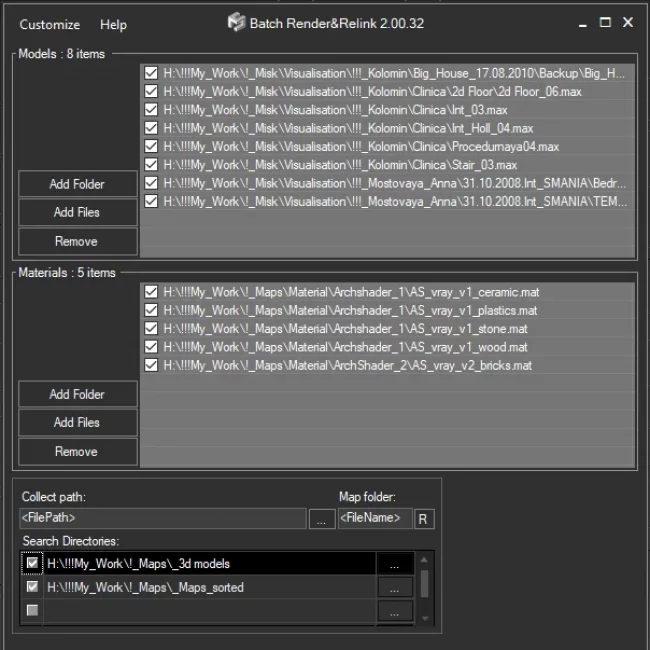
- Adds the “Fast mode” for relinking 3ds Max files and material libraries in the batch mode
- Adds an ability to Find & Replace part of paths in batch mode
- Adds an ability to specify output filename on rendering previews for models
- Setup multiple custom studios for rendering 3d models and material libraries
- Adds an ability to specify pivot point on rendering preview for models
- Adds a new BatchModes to API – #RelinkPreSave, #RelinkPostSave. See an example in file “presetsAPI examplesBatch Script Example.ms”
Batch Render&Relink v.1.67.01
April 14, 2021- Fixes an issue when monitor screen DPI uses a scale of more than 100%
- Fixes an issue with rendering some scenes with Corona 6
- Fixes some minor issues
Batch Render&Relink v.1.65.01
February 17, 2020- Adds support to “.MC” files in Point Cache modifier
- Drops support to 3ds Max 2013
- Move plugin to directory and category “Kstudio”
- Fixes a bug with relinking scenes that contain IES files
- Fixes an issue with correct display the maximized plugin window on some monitors
- Fixes some minor issues with interface
- Fixes a some minor issues when rendering previews using Corona Renderer
- Fixes an issue with rendering scenes which contains Containers
- Fixes an bug with Asset Management scenes which contains Containers
- Fixes other minor issues and performance improvements
Batch Render&Relink v.1.64.25
April 15, 2019- Adds support to 3ds Max 2020.
- The option “Remove unused materials” now supports the Slate Material Editor. .
- Fixes some minor issues with comparing external files with same name but different content.
- Fixes an issue with annoying message of Archvision RPC plugin at start.
- Fixes a minor issues with rendering preview for some 3ds Max files.
- Fixes a minor issue with generating bug-reports.
- Fixes other some minor issues.
Batch Render&Relink v.1.63.98
July 19, 2018- Speeds up the relinking of asset files approximately in 7 times!
- Adds support to 3ds Max 2019
- Display progress bar when Copy and Relink assets
- Adds capability to render using Maxwell Renderer
- Uses Real World and mapChannel settings from materials when rendering preview for materials.*
- More accuracy find compatible renderer by material
- Simplifying Deployment. New capability for installation plugin and creation the identification files in silent mode.
- Fixes a minor issue with relinking background images
- Fixes a bug with crashing the plugin in scenes which contains VRayOSLTex and VRayGLSLTex textureMaps
- Fixes an issue with using Vray Frame Buffer for rendering thumbnails in Vray Next.
- Fixes a potential issue with generating bug-reports.
- Fixes some potential issues with compatibility with other 3ds Max plugins.
- Fixes a bug whith rendering some 3d models.
- Fixes a logical mistake in using variables “FilePath” and “FileName”
- Fixes a bug when rendering preview works very slowly when Vray material contains displacement
- Fixes a bug with applying the license key
* Avalable only with default material’s studio
Batch Render&Relink v.1.63.24
February 19, 2018- New default render-presets. Adds default presets to Final Render, Octane, Redshift, Fstorm and Arnold renderers
- Adds an ability to rendering previews using Vray Frame Buffer ( available for Vray 3.20.02 and above )
- Changes for API: The ‘PostScriptInfo’ is deprecated. For details see a file “BatchRendering Script Example.ms” in ‘presets’ directory
- More accurate fitting of objects to the view when rendering previews
- Adds an option “Fit to Dummy” to render setting
- Fixes an issue with set custom view for rendering previews defined into drop-down “View”
- Fixes a bug in FStorm Render when 3Ds Max crashed on trying to access Bitmap FStorm properties
- Fixes a bug with crashing the 3Ds Max if studio doesn’t contain the ‘SceneDummy’ object
- Fixes an issue with very slow relinking of materials in Corona 1.7
- Fixes an issue with scaling objects on rendering a preview when an option “Fit view to nodes” turned off
- Fixes some minor issues
- Fixes an issue with using a full and demo version of different Kstudio’s plugins at same time
- Fixes a compatibility with plugins which use a old version of NLog library
- Fixes a bug when in some situations window not drawn properly
- Fixes an issue for version 1.60.21 with fitting a camera view to nodes when camera has invalid target
- Fixes the issue with rendering preview for .BIP and .BVH files
- Fixes the issue with rendering preview when using the custom studio with VRayPhysical camera
- Fixes the issue with opening VrMat files with #Found status
- Fixes the issue with found compatible renderer for some materials
- Fixes some minor issues with rendering previews
- Fixes some minor issues
- Fixes an issue with using the render settings from scene/studio
- Other some changes and speed improvements
- Supports only to x64-bit system
Batch Render&Relink v.1.54.00
May 13, 2016- Updates the studio for rendering previews for materials.
- Fixes a potential bug with tracking asset files in 3ds Max 2010.
- Fixed a bug with updating what occurs on some computers.
- Fixed another bug with opening the ‘Folder Browser’ dialog what occurs on some computers.
- Fixed an issue with showing thumbnails in the ‘Confirm replace’ dialog.
Batch Render&Relink v.1.53.00
March 21, 2016- Add support to Octane renderer version 2.XX
- Fixed issues with relinking Maxwell lights.
- Fixed a bug in the ‘Confirm replace’ dialog.
- Fixed a bug what occurs on some computers when opening the ‘Folder Browser’ dialog.
- Fixed a bug with rendering preview for 3d models in the 3dsMax 2016 when using custom studio scene.
Batch Render&Relink v.1.51.30
September 14, 2015- Simplify the ability to add files to list.
- Now the license key immediately updated and apply*.
- Adds support to relink and rendering thumbnails for Indigo Mesh object.
- Fixed a bug with using the plugin with ‘Models Manager’ and ‘Materials Manager’.
- Fixed a bug when applying the license key from menu of the plugin.
- Fixed a minor issue with saving the settings for render-presets.
- Fixed a minor issue with updating.
* Customer must use the button ‘Move license’ and of course must have a valid license file.
A request must be send from 3ds Max.Batch Render&Relink v.1.51.17
June 15, 2015- Fixed the issue with keeping the settings of the Target Lights after relinking the ies file.
- Fixed a some minor issues with setting the directory for searching.
- Fixed a some minor issues with updating the plugin.
- Fixed an issue with winApi what occurs on some computers.
- Adds ability to set intensity multiplier for rendering of the IES files.
- Fixes the issue with starting on the x32 system.
- Fixed a some issues with setting the custom gamma for rendering thumbnails.
Batch Render&Relink v.1.51.00
March 30, 2015- Adds support to Maxwell renderer:
- Search\Collect\Relink for Maxwell Proxy
- Search\Collect\Relink for Maxwell MxLight
- Search\Collect\Relink for Maxwell MxMesher
- Search\Collect\Relink for Maxwell MxParticles
- Search\Collect\Relink for Maxwell MxVolumetric
- Search\Collect\Relink for Maxwell Materials and Maps
- Add support to IES_Texture for Octane renderer
- Fixed the issue with rendering the preview for Proxy
Batch Render&Relink v.1.50.70
March 4, 2015- Fixed the potential issues with relinking the models and materials.
- Fixed the some issues with interface.
- Fixed the some minor issues with checking for update the utility.
- Fixed the issue with setting the size of thumbnails when rendering the preview.
- Fixed the some issues when the system use the text with size greater than 100%.
- Fixed the conflict with unknown plug-in.
- Fixed the issue with hiding the Vray VFB window.
- Fixed a some minor issues.
- Update the help.
Batch Render&Relink v.1.50.50
January 9, 2015- Add the ability to render the preview as .png with alpha channel.
- Fixed a some minor issues.
Note:
This version is requires the new license-key.
The updating is free.Batch Render&Relink v.1.44.58
September 8, 2013- Fixed a bug with rendering preview for 3d models
- Fixed a some issues with gamma when rendering the thumbnails
- Fixed a bug with black output when rendering the thumnails for materials with Vray frame buffer
- Fixed a bug with generating the identification file on some computers
- Fixed some minor issues for folder-browser dialog
- Fixed some minor issues with interface
Batch Render&Relink v.1.43.40
July 29, 2013- Bug fixes:
- Fixed a bug with Browse dialog when user have installed AutoCad 2014
- Fixed a bug with relinking assets
- Fixed some minor issues with interface.
Batch Render&Relink v.1.43.00
- New features:
- Adds support to VRayBmpFilter textureMap.
- Bug fixes:
- Fixes a bug with rendering thumbnails in batch mode.
Batch Render&Relink v.1.42.31
- Bug fixes:
- Fixes issue with long time of running utility when auto-check for updates is on.
Batch Render&Relink v.1.42.30
- New features:
- Adds support to renderer Octane – relink asset files.
- Adds support to renderer Octane – rendering previews.
- Bug fixes:
- Fixes issue with setting a default renderer.
- Fixes issue with applying render-preset.
Batch Render&Relink v.1.42.21
- Bug fixes:
- Fixed some minor issues.
Batch Render&Relink v.1.42.19
- Bug fixes:
- Fixed issues with read / write settings in the 3ds max 2013.
Batch Render&Relink v.1.42.15
- Bug fixes:
- Fixes issue with relink Asset files into scenes with ies lights.
Batch Render&Relink v.1.42.12
- Fixed some errors occurring after updating the 3ds max 2013(Autodesk 3ds Max 2013 Product Update 2)
Batch Render&Relink v.1.42.11
- Bug fixes:
- Fixes a bug with memory leaking when search files .
$15.50Add to Cart
Read about the Latest Version
Related to "Batch Render&Relink: Update History"

Viewing 1 post
You must be logged in to reply to this topic.