 Translate
Viewing 1 post
- November 23, 2011 at 00:22 #3807
 Oleksandr KramerModeratorPosts: 267Threads: 1383Joined: Aug 2009
- New features:
- Adds ability to search files by name and description.
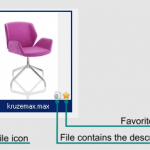
- Adds ability to add description to 3ds max files.
- Displaying embedded to 3ds max files thumbnails.
- Include AutoCad file format as default on "Models" category.
- Displaying embedded to AutoCad files thumbnails.
- Adds ability to onoff extensions for display on "Models" category.
- Adds ability to include/exclude models by extension to batch rendering (by default is it 3ds Max,Vray Proxy, Mental Proxy, 3ds, obj).
- Adds ability to add files to favorites from status bar.
- Adds some methods and properties for PMStructureInfo*.
- Modified features:
- Extremely speeding up opening directories with big number of subfolders.
- Update the Help.
- Bug fixes:
- Fixes some issues with thumbnail rendering.
- Fixes a bug with correct displaying the Asset files.


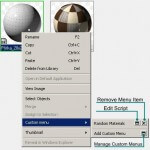
(Writing a custom menu requires knowledge of the maxScript language.)
Read more about Project Manager’s API* New methods and properties
	CurrentFolder: <String> folder, read-only
	AddFilesToExplorer: <Array> filenames
	SaveScreenShot: <String> filename
(see examples in new maxScript files – “Create-apply biped obj from file.ms” and “Save biped object.ms”(TrackScripts\ProjectManager\presets))
How add new default extension to “Models” category:- Open “ProjectManager.ini”
- Find section “[ModelsExtension]”
- Type desired extension => for example “.bip=true”
Methods:
	//use for update list
	AddFilesToExplorer:<Array> filenames
	//remove selected items only from list
	RemoveSelection:<function>,
	//Save 3ds max ScreenShot
	SaveScreenShot:<String> filename
Properties
	//Full path to current folder
	CurrentFolder:<String> folder, read-only
	//return filenames for selected items
	SelectedItems:<function>, [includeMaps:false]  [includeThumbs:false]
	//return filenames of thumbnails for selected items  =>SelectedItems includeThumbs:true
	SelectedThumbs:<Array>, filenames
	//return filenames of used maps for selected items =>SelectedItems includeMaps:true
	SelectedMaps:<Array>, filenames
(see example maxScript files in folder “$userscripts\TrackScripts\ProjectManager\presets”)
$60.00Add to Cart
Read about the Latest Version
Related to "Project Manager v.1.54.20"



Viewing 1 post
You must be logged in to reply to this topic.

